Clip your long videos into shorts.
AI finds the trending and viral moments to reach more people. Multiple professional video clips, ready in minutes, not days.
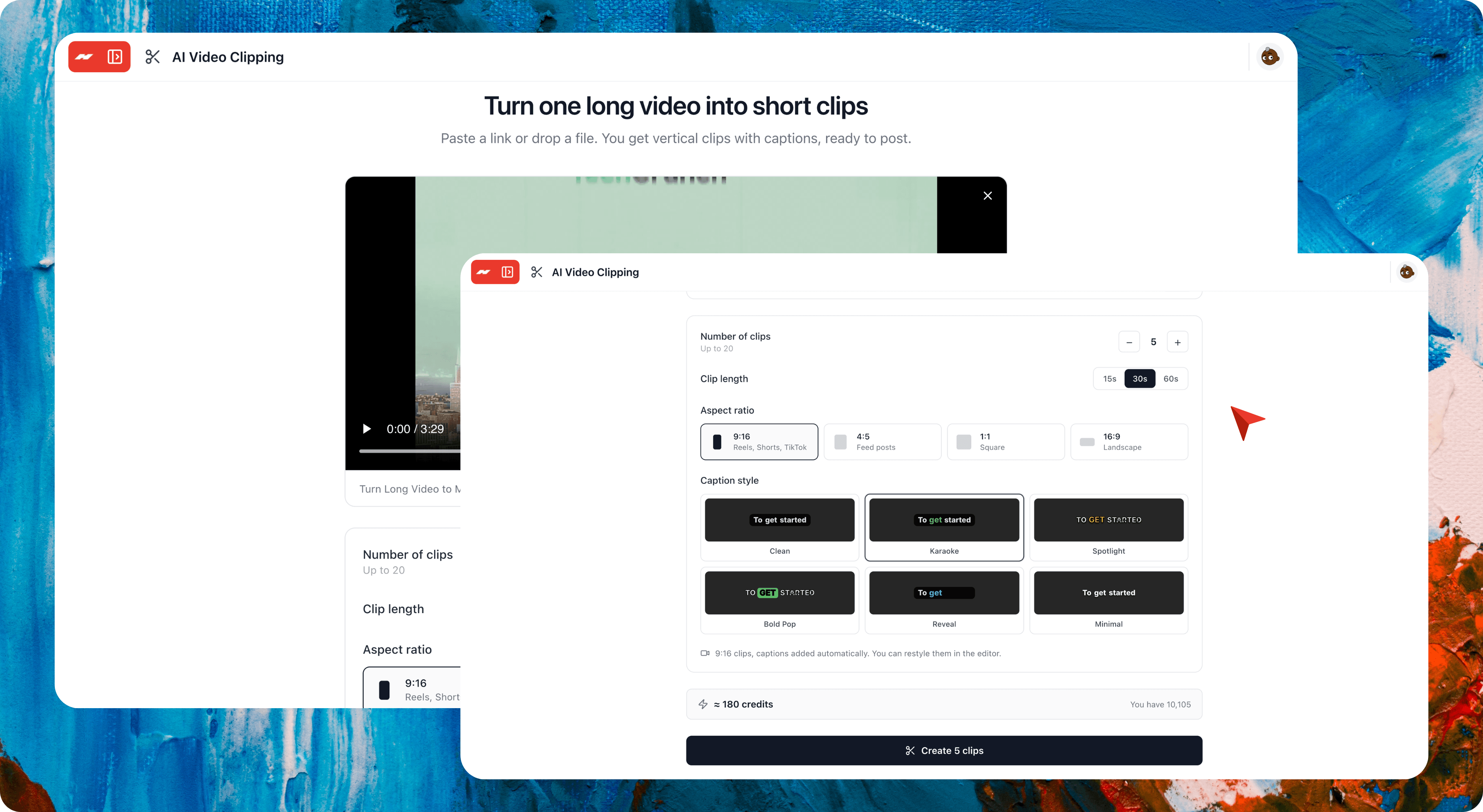
Paste a link or upload a file. No watermark. No credit card required.
Clips made with Hugogen
AI keeps the speaker in frame and captions every word for professional clips.
How it works.
Turn one long video into short captioned clips.
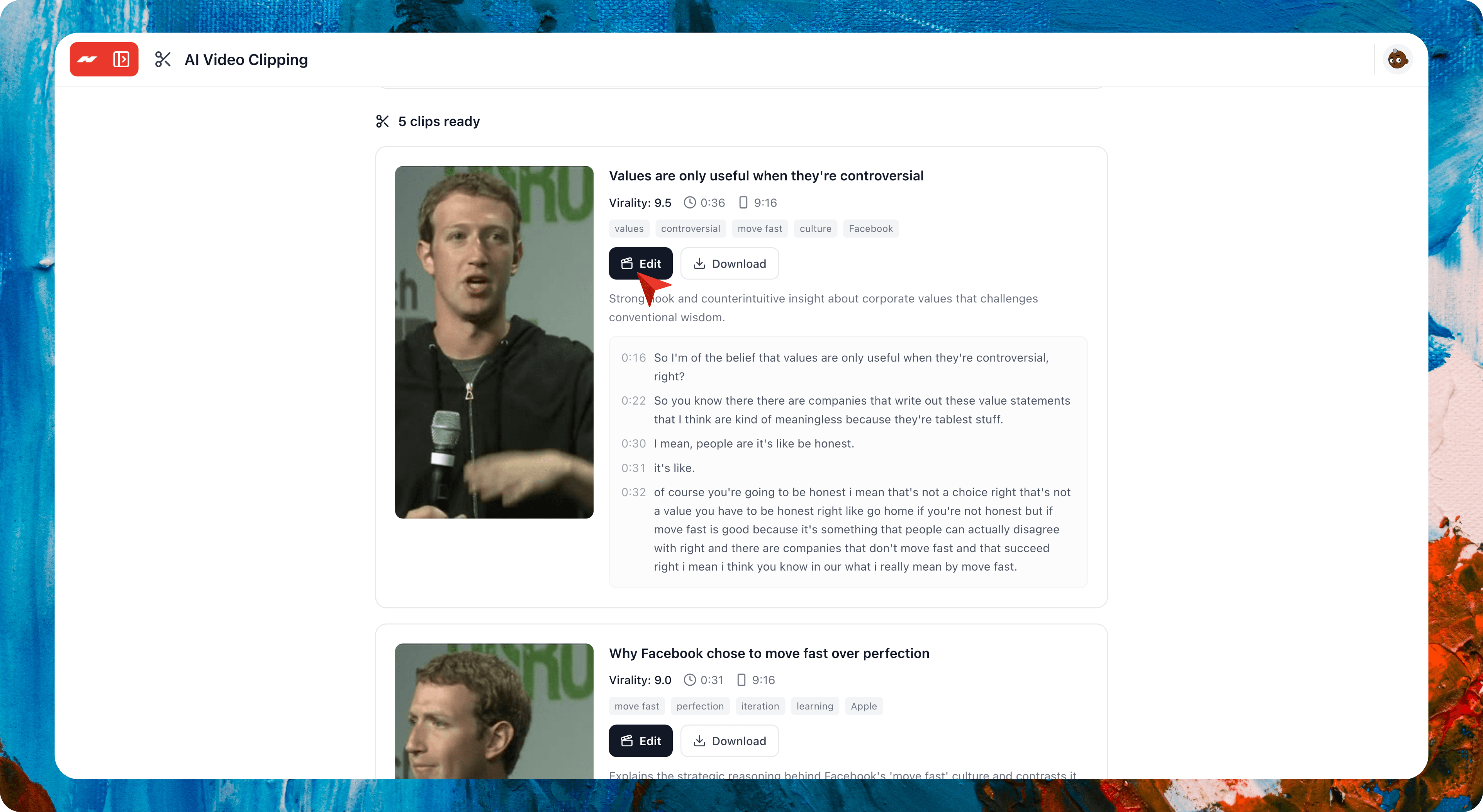
Everything you need to make trending video clips.
Every feature you need to make professional, trending short clips with AI. It finds the best moments, crops to the speaker, and captions every word.
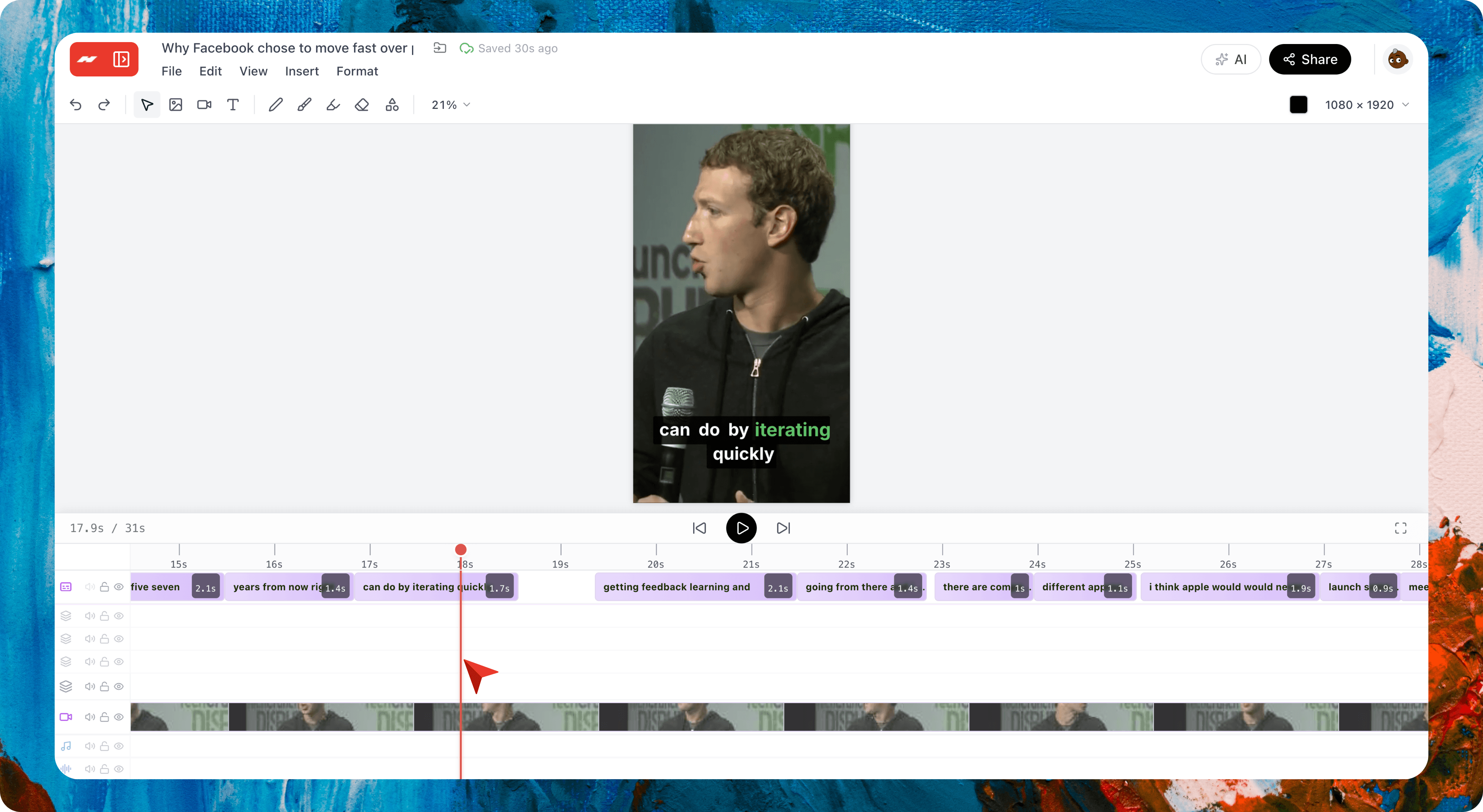
Every clip is a real editing project
Each clip opens on a real timeline. Trim, recaption, and re-crop, then export.
Finds your best moments
Hugogen scores every moment and leads with the strongest clip.
Keeps the speaker in frame
It follows the speaker as they move. No jitter, no crop box to drag.
Captions on every word
Burned in, timed to the audio, in six looks.
A layout for every video
Smart crop, blurred fill, square, gaming split, or top-and-bottom split.
Start from a link or a file
Paste a link or upload a file, up to 2 GB and 60 minutes.
Post in any shape
Export 9:16, 4:5, 1:1, or 16:9 for any platform.
Clean export, no watermark
No watermark, and the original creator is credited.
One workflow for creators.
Everything after the clip lives in the same workspace. No exporting to another app, no re-uploading your files.
Video →
Generate a fresh reel from a brief or a photo, and edit it on the same timeline as your clips.
Designer →
Design the thumbnail and cover frame on a real canvas, right next to the clips they go with.
Documents →
Pull the transcript into a doc and write your hooks and captions there, in the same project.
AI Chat →
Ask which moments to clip, brainstorm titles, or draft your captions.
Team Chat →
Share a clip in a channel for quick approval, and keep the feedback right next to it.
Projects →
Track every clip from cut to posted, in whatever view fits your week.
Hugogen Video Clipping vs the alternatives.
Opus Clip, Vizard, Klap, and Submagic all turn long video into shorts. Hugogen matches them on finding moments, cropping to vertical, and captions, then goes further: every clip opens on a real editable timeline, and it sits in the same workspace as your docs, designs, and other video.
| Feature | Hugogen Video Clipping | Opus Clip | Vizard | Klap | Submagic |
|---|---|---|---|---|---|
| Paste a link or upload a file | |||||
| Finds the best moments automatically | |||||
| Vertical crop that follows the speaker's face | |||||
| Choose the output ratio (9:16, 4:5, 1:1, 16:9) | |||||
| Word-by-word captions timed to the audio | |||||
| Every clip opens on a real editable timeline | |||||
| Sits in the same workspace as your docs, designs, and other video | |||||
| Share with a link or download the MP4, no watermark | |||||
| Free plan includes clipping |
available partial not available
From streamers, podcasters, creators, and agencies.
Loved by creators who clip long videos into professional short vertical posts in minutes.
Satu episode satu jam langsung jadi 10 short vertikal, caption udah otomatis nempel. Biasanya editor gue habis semalaman buat hasil segini. Sekarang tinggal paste link, tunggu bentar, tiap clip masih bisa gue rapihin di timeline.
Anisa R.
Podcast host, Jakarta
I record one long video a week and used to post nothing because cutting shorts was a chore. Now one upload gives me a week of vertical clips with captions, and I can tweak the crop on any of them before it goes out.
Devon M.
Solo creator, Austin
Khách gửi một buổi phỏng vấn dài, mình lấy ra 15 clip dọc có caption trong vài phút. Crop tự bám theo người nói nên không bị mất mặt. Gửi link cho khách duyệt, cần thì tải MP4 về, đỡ hẳn một ngày dựng.
Thanh L.
Social agency, Hanoi
Common questions
Paste your first link.
One long video is all it takes. Your first ten clips are minutes away.
Free to start. No credit card required.