Project Management App for the AI Era
Collaborate with your team on tasks and plan them in a list, board, calendar, or Gantt view. Ask the AI agent to find a task or update its status, date, or owner.
No credit card required.
How it works.
Set up a project, add your tasks, and track them in the view that fits the work.
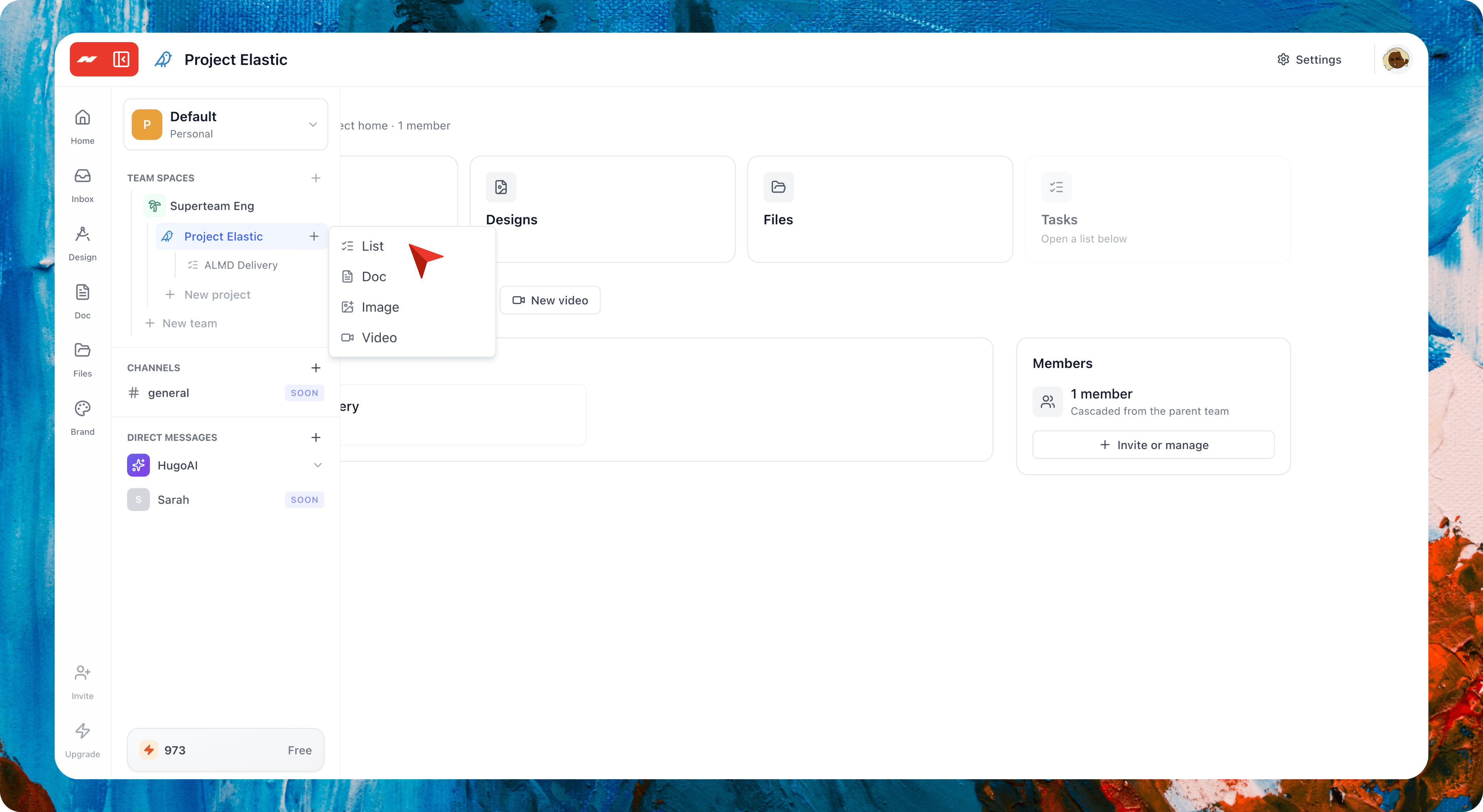
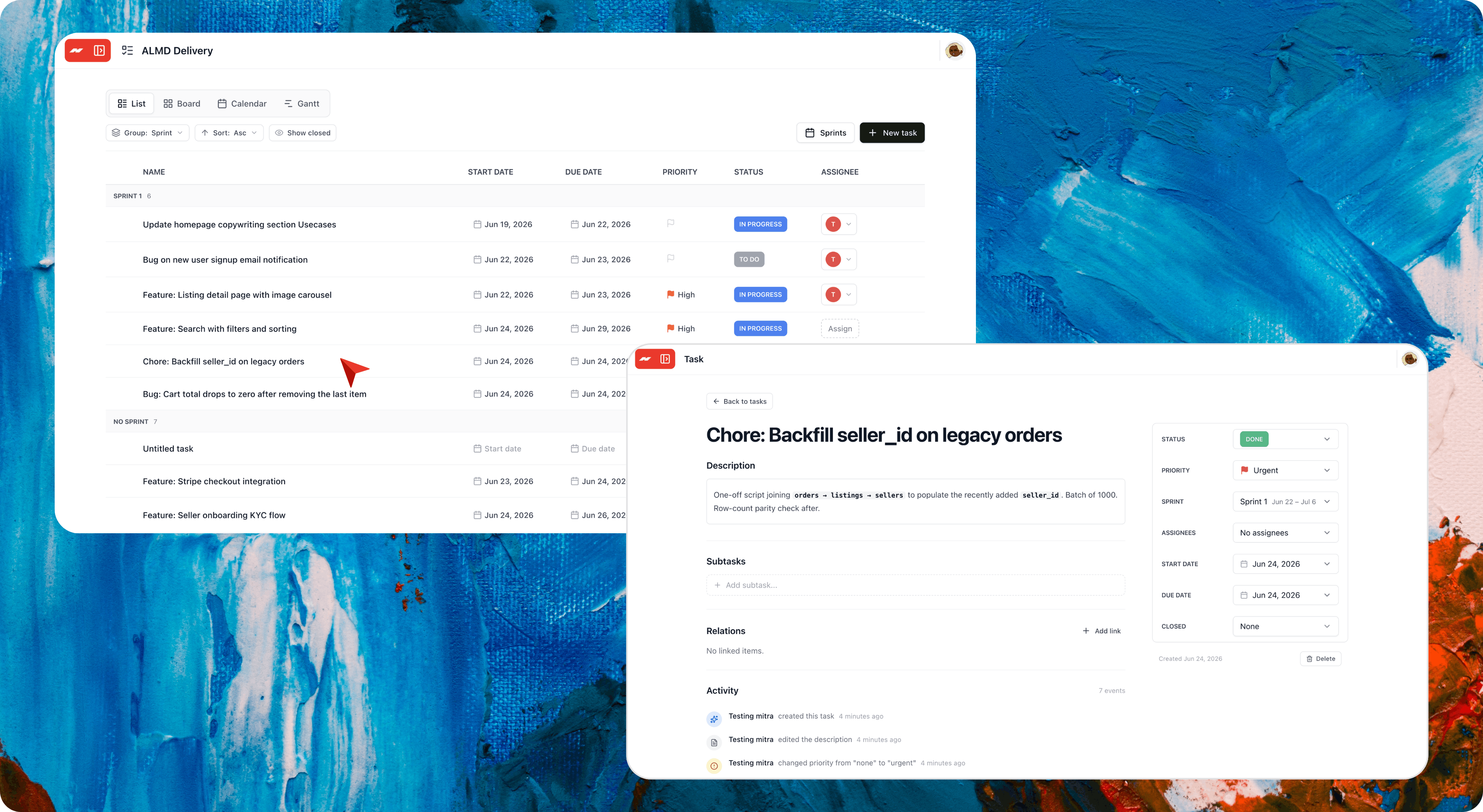
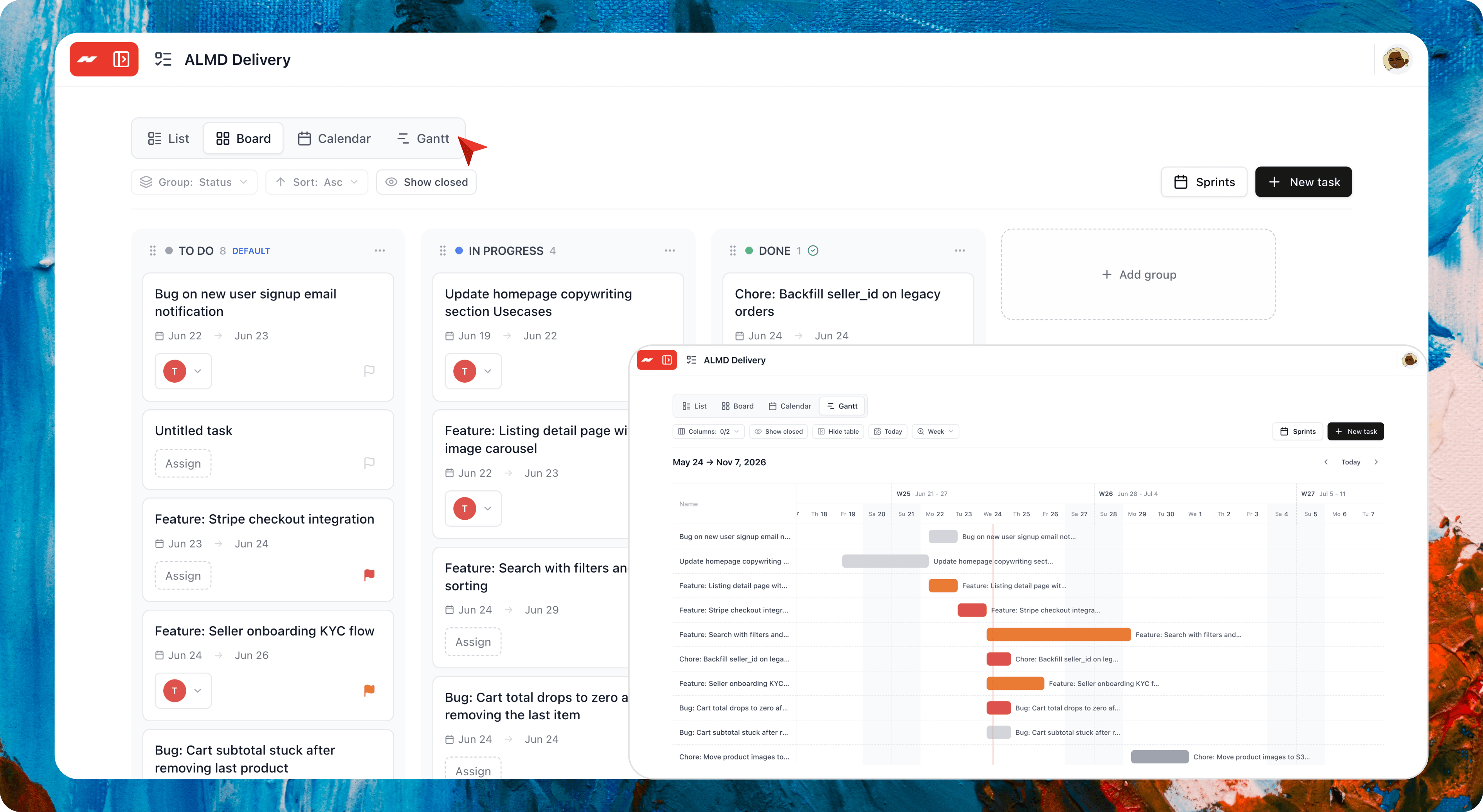
Everything you need to run your projects.
Plan tasks, track them across four views, and keep them in the same workspace as your docs, designs, and video.
AI that finds and updates your tasks
Ask the AI agent to find a task or change its status, date, or owner.
Same workspace as your docs, designs, and video
Your tasks, docs, designs, and video in one project.
Four views, one task set
See the same tasks as a list, board, calendar, or Gantt chart.
Sprints with a planning board
Plan a sprint and drag work in from the backlog.
Typed links between tasks
Link tasks as blocks, duplicates, clones, or relates to.
Custom statuses per project
Name your statuses, pick colors, and reorder them.
Priority, dates, and assignees
Four priority levels, start and due dates, and multiple owners.
A full history on every task
Every change and comment, logged on one timeline.
One workflow for your team.
Everything a task tracks lives in the same workspace. No switching apps, no re-uploading your files.
Documents →
Write plans and briefs, and track them as tasks.
Designer →
Design the posts and ads your project is shipping.
Video →
Cut a launch reel in the same project.
AI Video Clipping →
Clip long videos into shorts in the same workspace.
AI Chat →
Ask the chat to find or update your tasks.
Team Chat →
Discuss a task in a channel in the same workspace.
Hugogen Projects vs the alternatives.
Linear, ClickUp, Asana, and Trello all handle the basics well. Hugogen Projects keeps up on tasks, comments, subtasks, sprints, and linked tasks. What sets it apart is one workspace for your tasks, docs, designs, and video.
| Feature | Hugogen Projects | Linear | ClickUp | Asana | Trello |
|---|---|---|---|---|---|
| List, Board, Calendar, and Gantt views all included | |||||
| Per-project custom statuses with colors | |||||
| Drag to reschedule on the calendar | |||||
| Four priority levels with multi-assignee | |||||
| Sits in the same workspace as your docs, designs, and video | |||||
| Free plan with all four views | |||||
| Comments, mentions, and activity timeline per task | |||||
| Subtasks plus four explicit relation types (blocks, relates, duplicates, clones) | |||||
| Sprints with a dedicated planning page | |||||
| Deep-linkable task URLs, not modals on top of the board |
available partial not available
Side-by-side, one competitor at a time.
Verified pricing, honest gaps, copy-as-Markdown for your LLM.
From creators, agencies, and small businesses.
Loved by teams who plan their work and make their content in one workspace.
I plan every video and post as a task, and the board shows me what is filming, editing, or ready to publish. My clips, thumbnails, and captions live in the same project. Nothing gets lost between apps.
Aisyah R.
Content creator, Kuala Lumpur
Un projet par client, une liste par équipe, et chaque tâche a son responsable. Le calendrier montre toutes les deadlines au même endroit, et les visuels et les montages vivent dans le même espace. On a arrêté deux abonnements.
Camille D.
Creative agency, Paris
Toko kecil tapi kerjaannya banyak: produksi, konten, pesanan. Sekarang semua jadi task di satu project. Board buat lihat status, calendar buat deadline, dan desain feed sama foto produk ada di workspace yang sama. Gak perlu buka banyak aplikasi lagi.
Dewi S.
Small business owner, Bandung
Common questions
Start a project. Add a task.
The first list is up in 30 seconds. The Board view will look like your team in a week.
Free to start. No credit card required.