Free podcast clip maker

Paste a link to a video podcast or upload the episode, and the AI cuts the strongest moments into captioned vertical clips.

The free plan clips episodes of up to 60 minutes, and paid plans take up to 120 minutes.

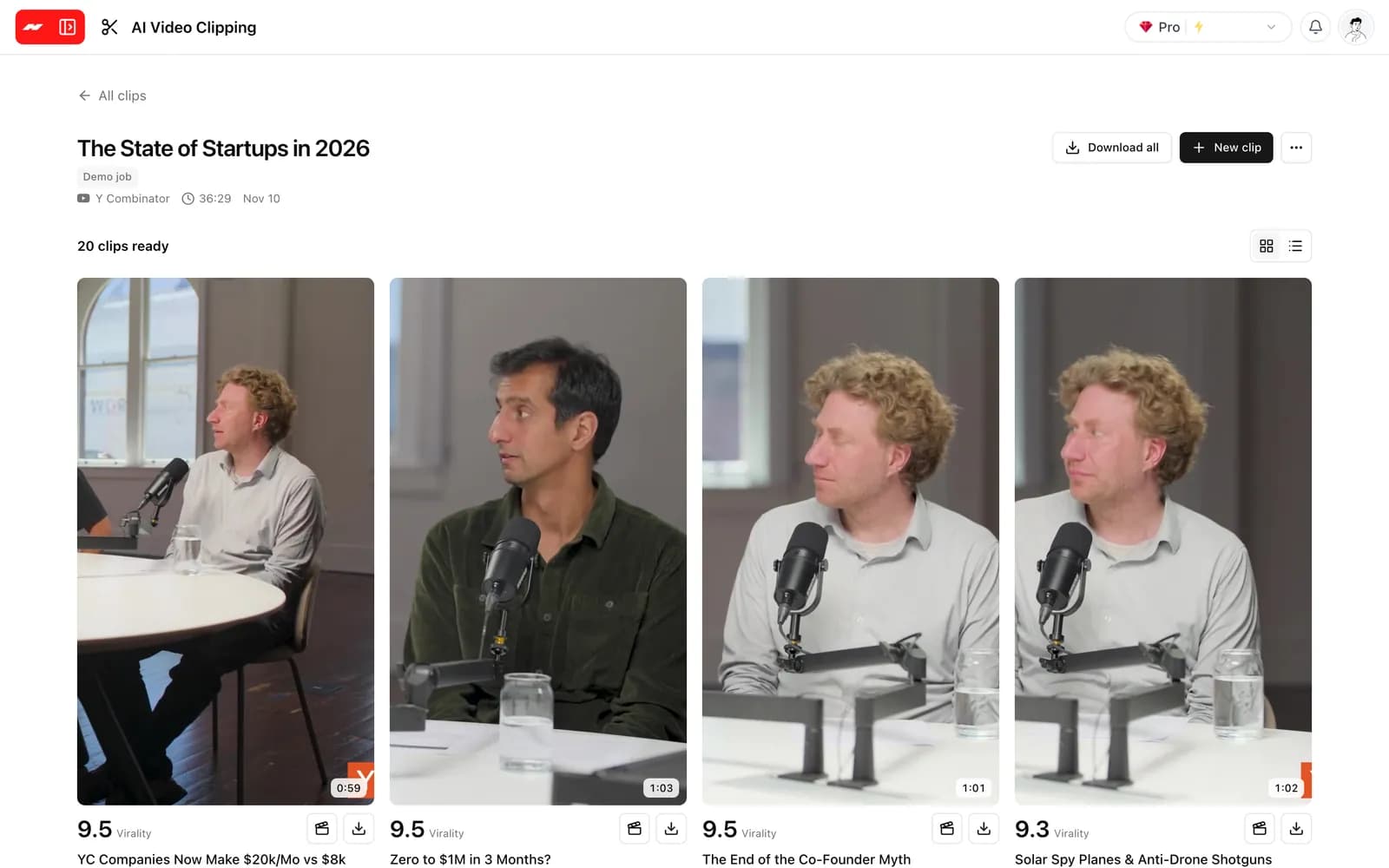
The results page of a 36 minute roundtable with 20 clips ready, each vertical clip showing one speaker at a microphone, a length and a virality score

From one long episode to a week of clips

Why each moment made the cut

The AI reads the whole episode and picks the moments worth posting. Open a clip to read why the AI chose the moment, with the transcript and a timestamp on every line. Each clip also carries a title, keywords and a virality score out of ten.

Any long recording? See the AI video clipper
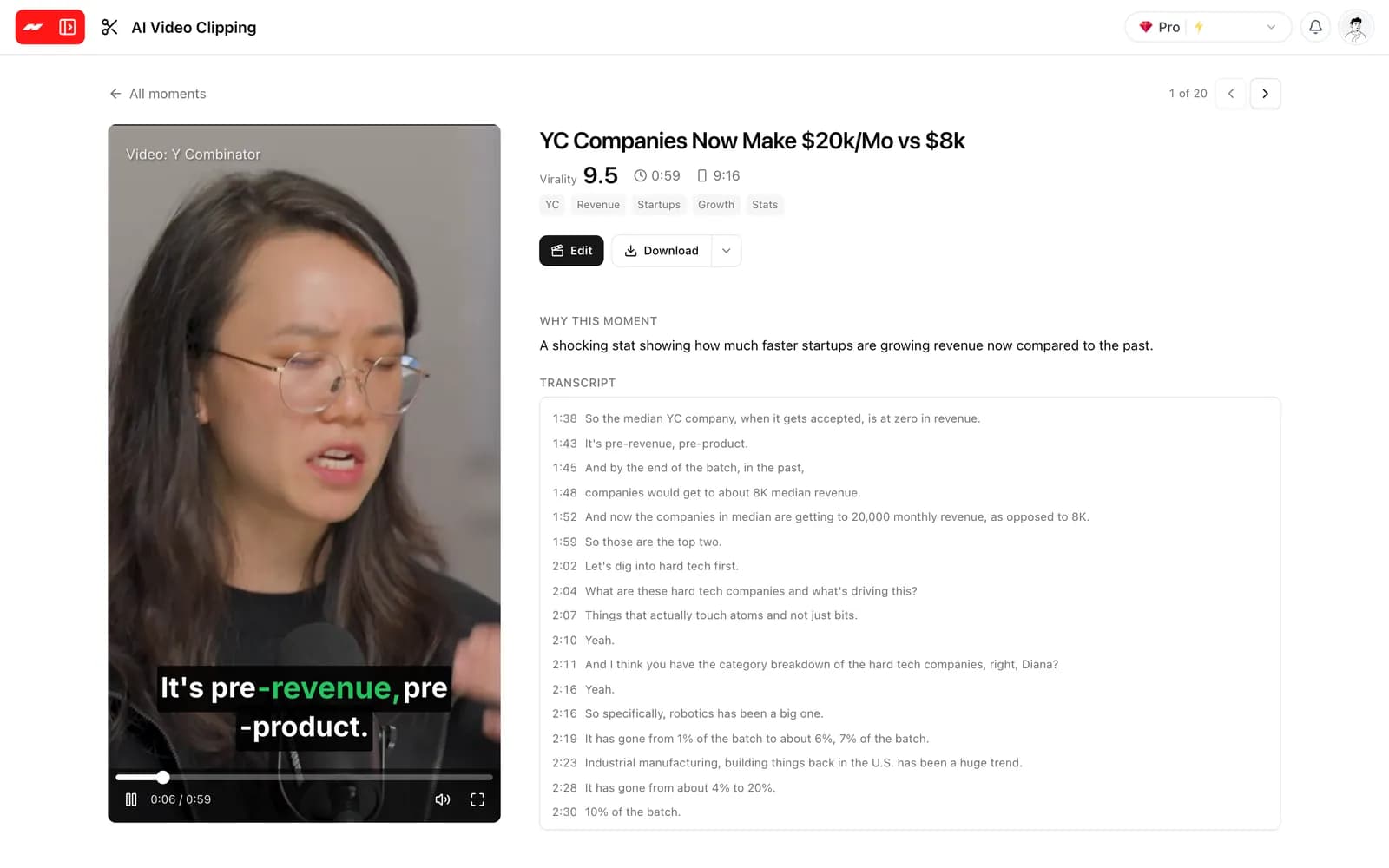
A clip page from the demo job: a vertical clip with a word by word caption, a virality score of 9.5, the reason for the pick and a timed transcript

Framing that follows the person talking

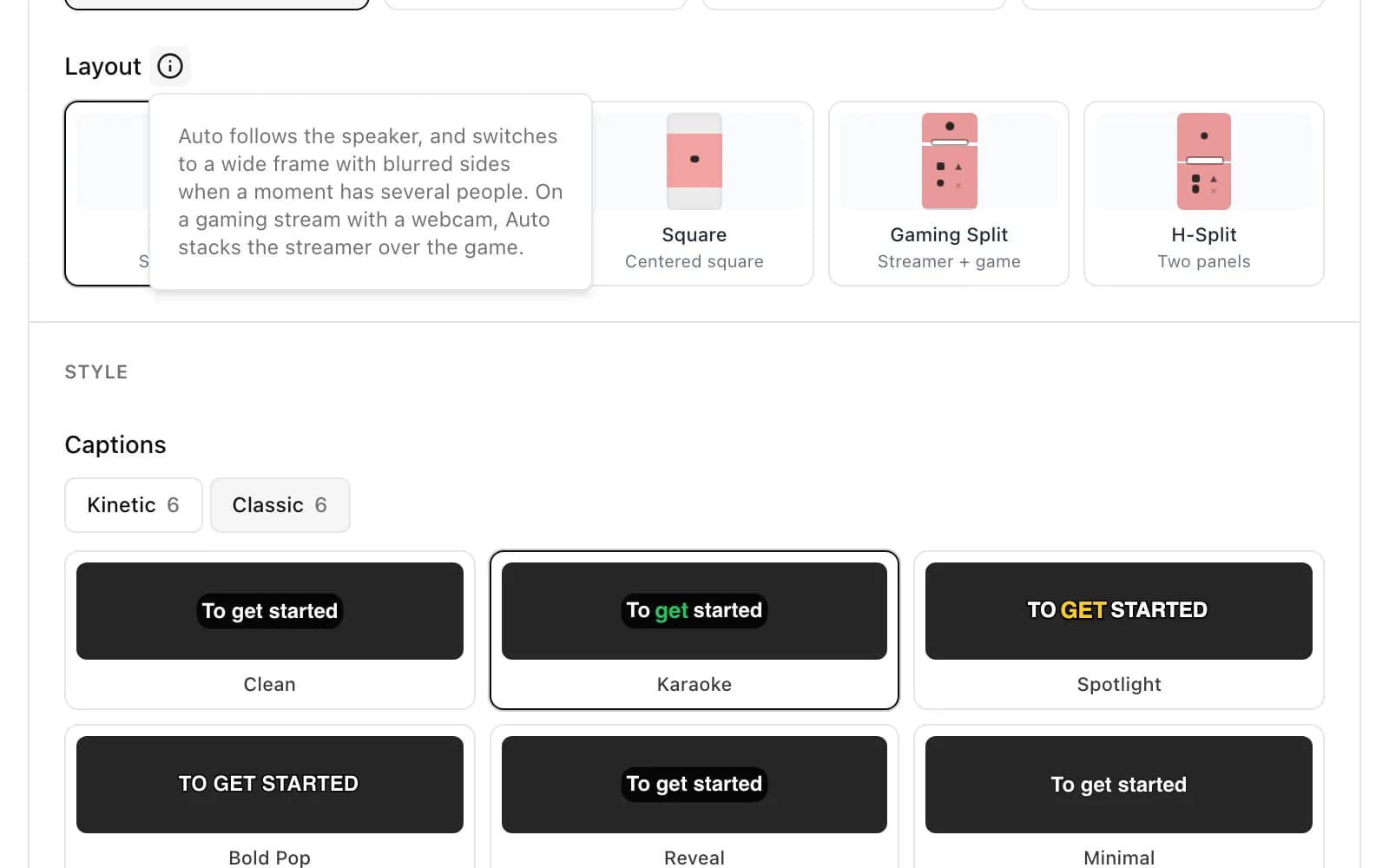
The Auto layout follows the speaker in each clip. When a moment shows several people, Auto switches to a wide frame with blurred sides and keeps everyone in the shot. Wing Blur, Square and two split layouts give every clip one fixed look instead.

The Layout row of the clip settings with the note on Auto open, beside Square, Gaming Split and H-Split, and twelve caption styles below

Word by word captions and a headline

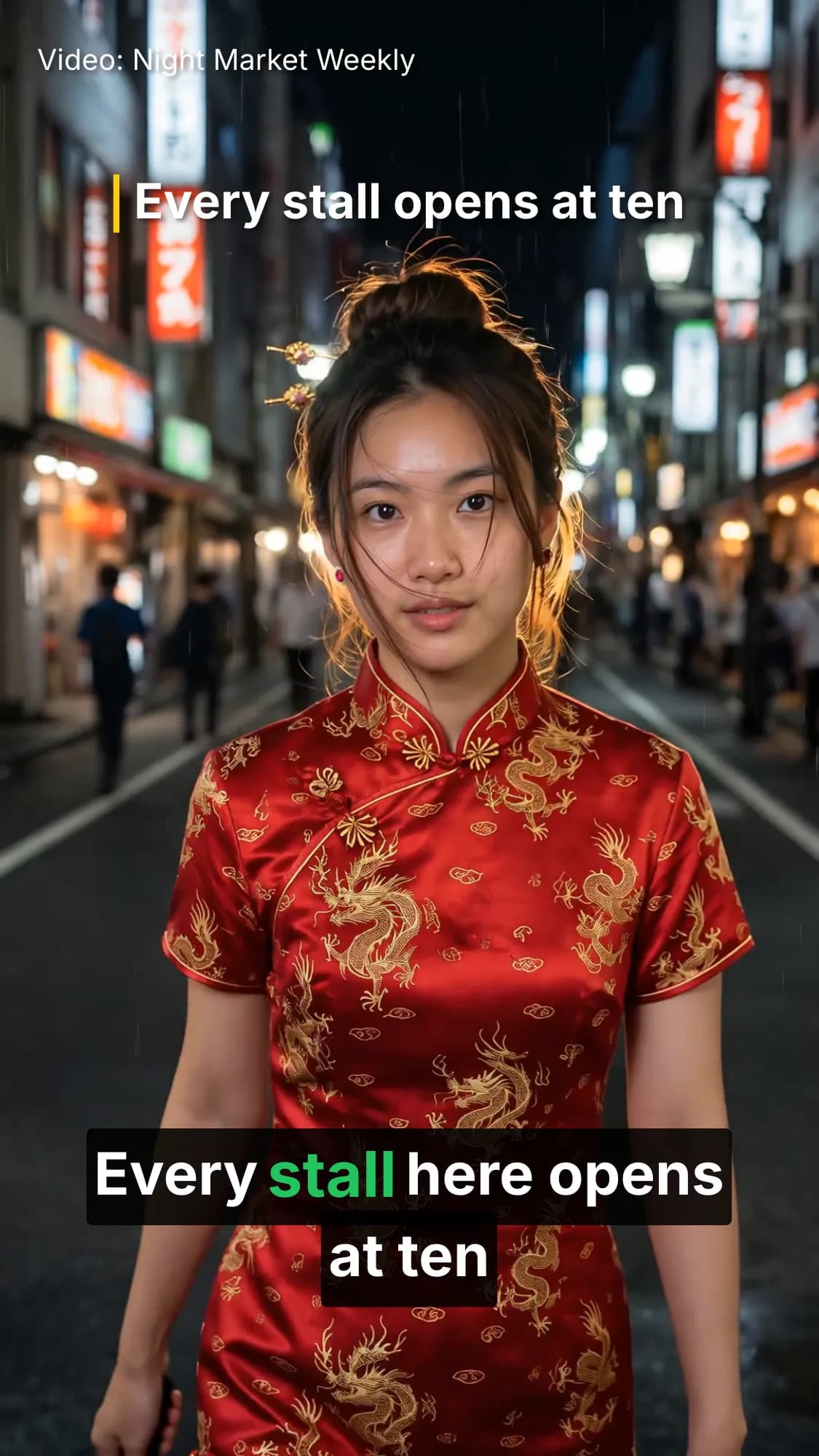
Every clip gets captions timed to each spoken word, in one of 12 styles. Six of the caption styles are kinetic. The AI also writes a headline for each clip and shows the headline for the first six seconds. Pick one of 16 text templates or a plain headline before the job runs.

A vertical clip at 1080 by 1920 with a credit line at the top left, a headline on a yellow bar and a word by word caption low in the frame

Episodes up to two hours long

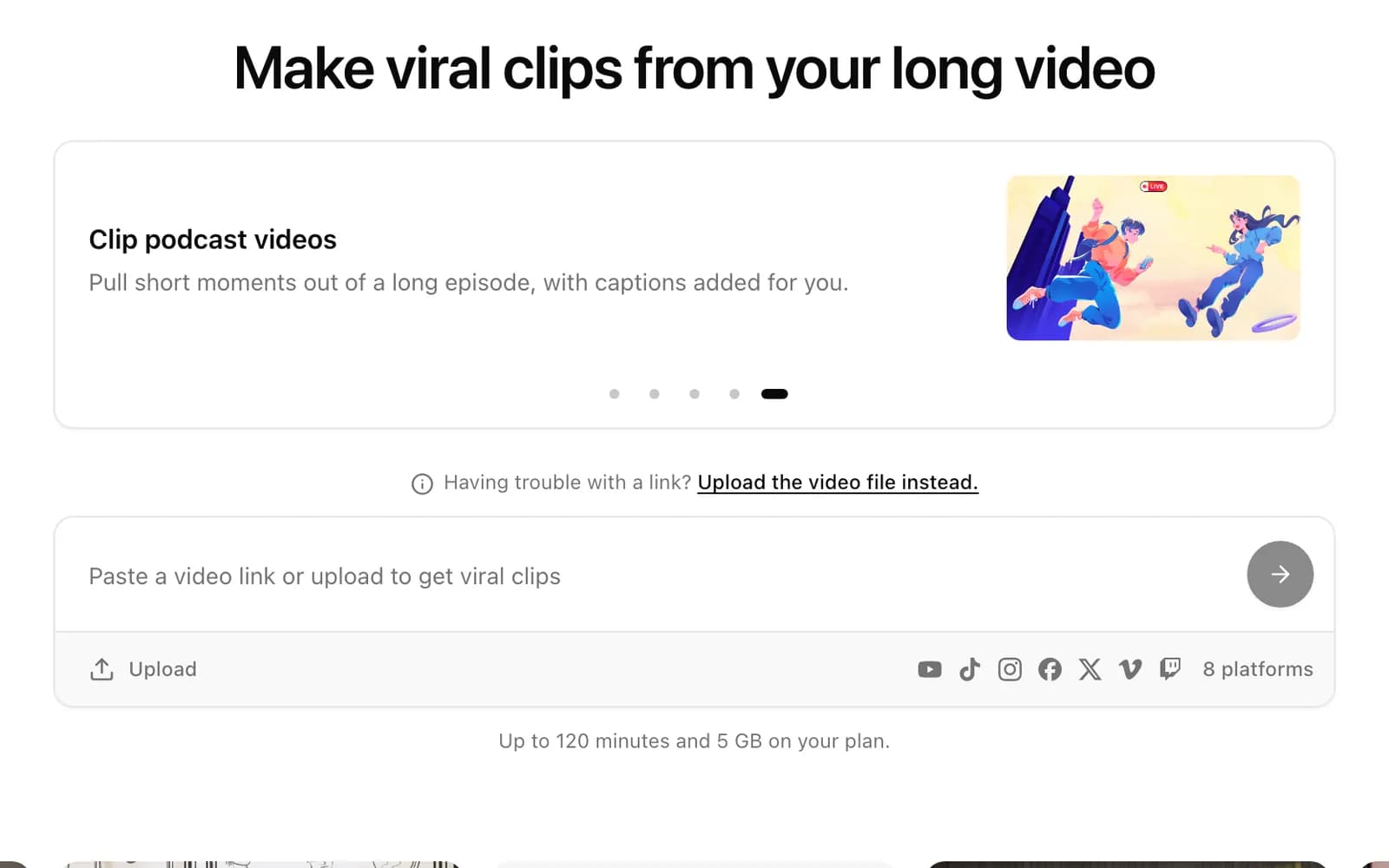
Paste a link from one of eight platforms or upload the video file. The free plan takes episodes of 1 to 60 minutes and files up to 2 GB. Paid plans take episodes of up to 120 minutes and files up to 5 GB.

Clipping from a YouTube link? See the YouTube clip maker
The AI Video Clipping start screen on the Clip podcast videos slide, with the link field, an Upload button, eight platform icons and the plan's length limit

Every clip opens as a project you can edit

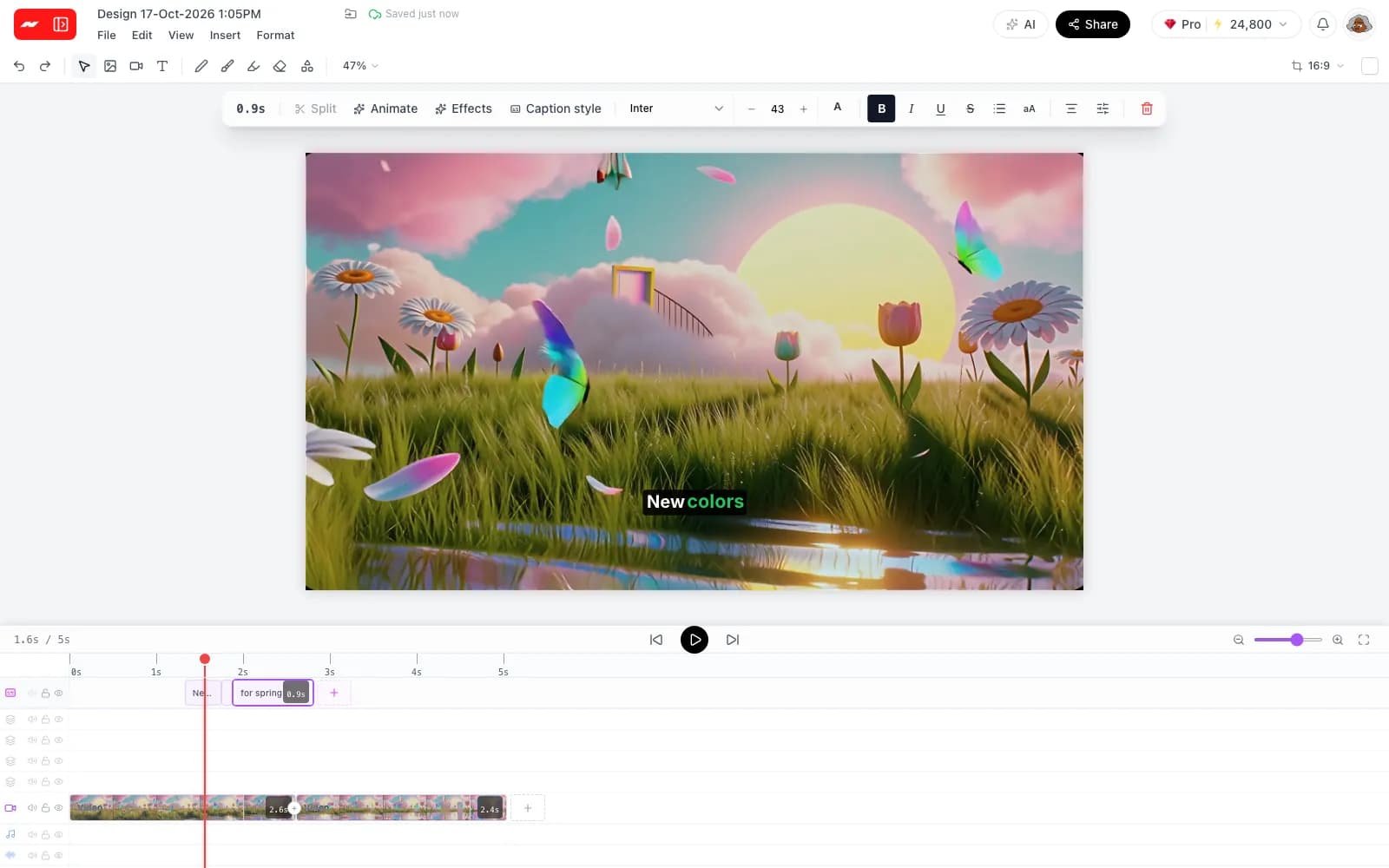
A clip is a project on the video timeline rather than a flat file. Trim an end, restyle the captions or change the shape before you export an MP4. On the free plan you edit and download the top 3 clips of each job, and paid plans open every clip.

Captions on a track of the video editor timeline under a clip, one caption selected

How to turn a podcast into short clips

  1. Step 1

    Add the episode

    Paste a link to the video episode or upload the file. The free plan takes episodes of up to 60 minutes.

  2. Step 2

    Choose the clips

    Pick how many clips you want, the length, the shape, the caption style and the headline. Read the price before you press Create.

  3. Step 3

    Edit and download

    Open any clip on the timeline to trim the clip or restyle the captions. Download the MP4 with no watermark.

Shows that turn one episode into many posts

Each show below records long conversations on camera and posts short moments from every episode.

An interview podcast
The guest's best answer as a separate clip
A roundtable or panel show
Several hosts at one table, framed wide
A solo commentary show
One strong opinion per clip
A business or money show
One number or one lesson per clip
A comedy podcast
The laugh line, cut close to the punch
A church or school talk
The quote people ask for afterwards

More free tools from Hugogen

Questions and answers

Paste a link to the video episode or upload the file. Choose the number of clips and the length. The AI transcribes the episode, picks the strongest moments and builds each clip. Every clip comes out vertical, captioned word by word, with a headline on the front.

The free plan takes episodes of 1 to 60 minutes and uploaded files up to 2 GB. Paid plans take episodes of up to 120 minutes and files up to 5 GB. The limit for your plan shows under the link field.

Auto keeps the person talking in the frame of each clip. A moment with several people on screen switches to a wide frame with blurred sides, which keeps everyone in the shot. You can also pick one layout for every clip before the job runs.

Yes, every clip gets captions timed to each spoken word, and the spoken language is detected automatically. Pick one of 12 caption styles before the job runs, and edit any caption word on the timeline afterwards.

Ask for 1 to 20 clips of 15, 30 or 60 seconds each. On the free plan you can edit and download the top 3 clips of each job. Paid plans open every clip in the job.

Yes, each clip has a page with the reason the AI picked the moment and the transcript of the clip, one timed line after another. The page also shows the clip's title, keywords and virality score.

A free account clips episodes and exports clips with no watermark. A job is charged by the minute of the episode, and the price shows before you press Create. A job that fails is refunded.

Each clip exports as an MP4 with no watermark on any plan. The free plan exports at 720p, and some paid plans add 1080p. A linked episode is read at up to 720p, and some paid plans read 1080p.

The clipper asks you to confirm you own the video or have sufficient rights before a job starts. A clip from a channel's link carries a credit line naming the channel. The credit line names the source and does not grant a licence.

Turn your next episode into clips

Paste the episode link, choose the clips and the captions, and download every clip you need.

Paste an episode link