Free AI motion graphics generator

Describe a video, approve the storyboard, and the scenes arrive animated: charts with a real scale, counters, kinetic type and a closing card.

Every plan builds the whole video from the scene library, and every export leaves with no watermark.

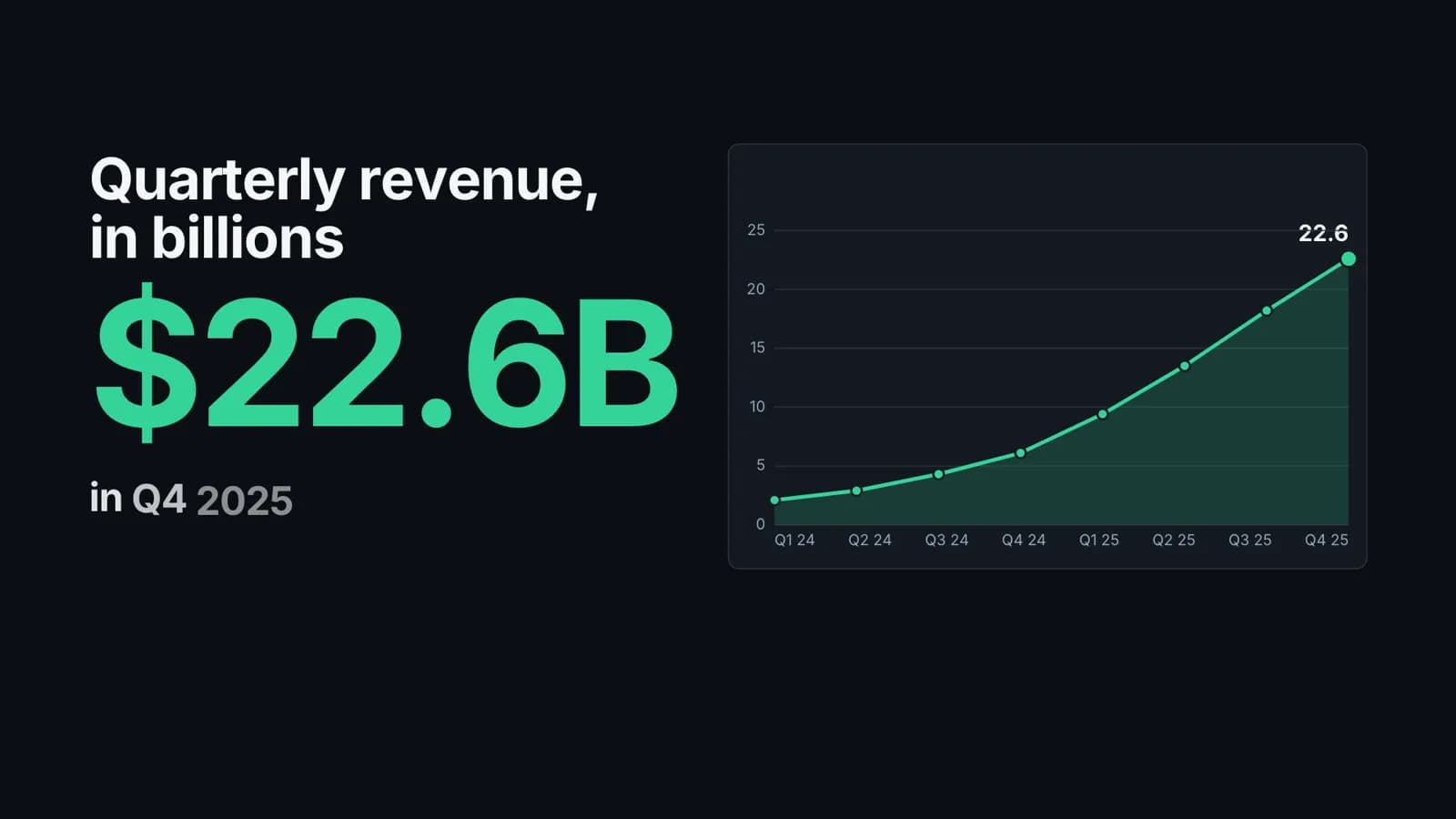
A motion graphics scene on a dark ground: a title reading quarterly revenue in billions, a large counter at 22.6 billion dollars, and an area chart rising across eight quarters

A brief, a storyboard, then scenes

A graph keeps the numbers it was given

The graph scene rebuilds a chart from the figures in the brief and changes none of them: points draw a line or an area, bars rise against a scale with gridlines, or slices sweep a pie, and one takeaway figure counts up at the end. A number nobody supplied never reaches the screen.
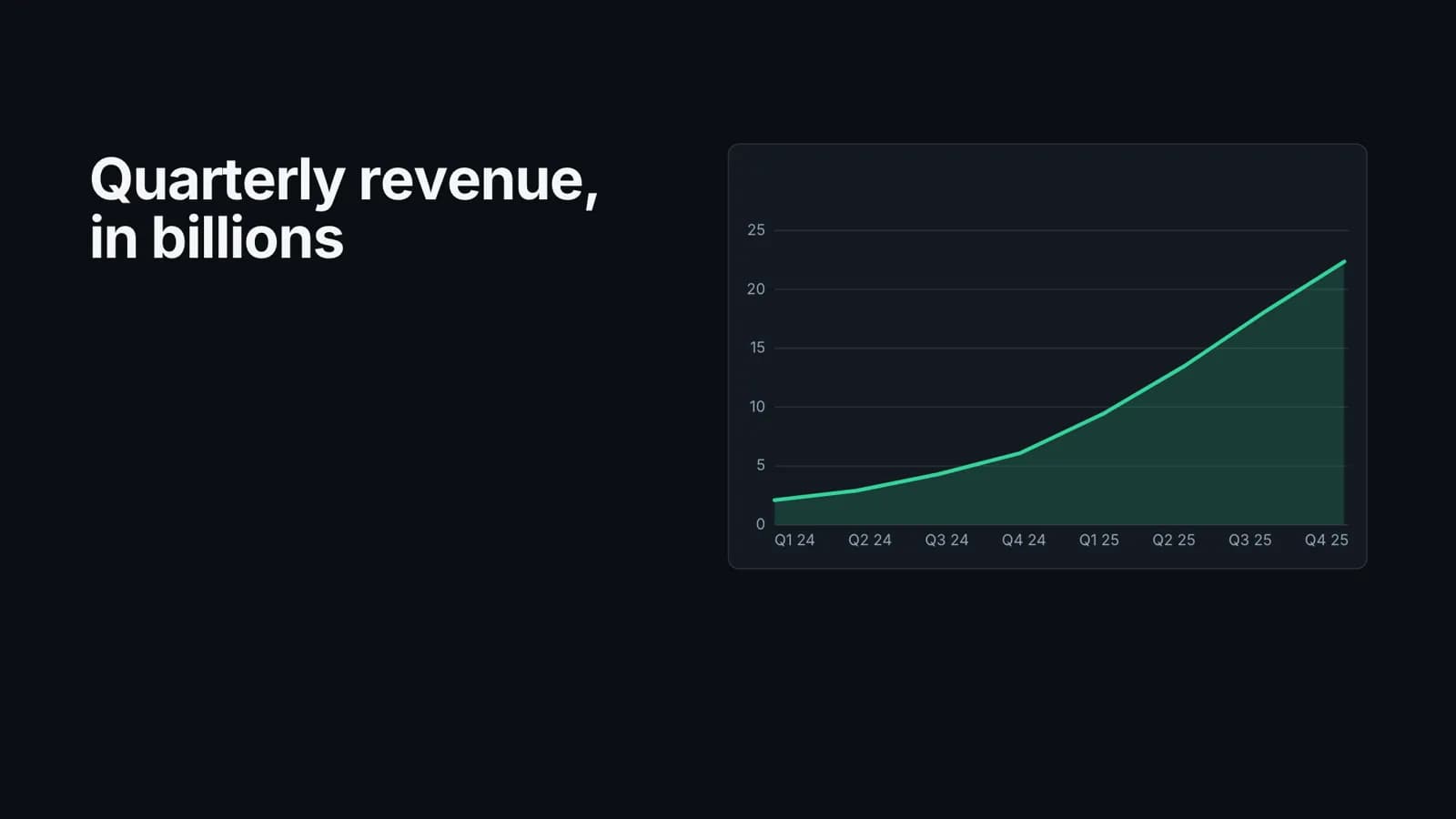
An area chart drawing itself across eight quarters on a dark scene, with gridlines, a labelled scale and the quarters along the bottom

Eighteen scene kinds, and eight more for footage

A storyboard is built from scene kinds rather than from one look repeated: a hook title, a flow, an interface walked through, a phone, a comparison, a counter, a logo sting and a closing card among them. Eight more sit over footage as a lower third, a keyword, a quote or a chapter card.

Editing a recording instead? See the AI video editor
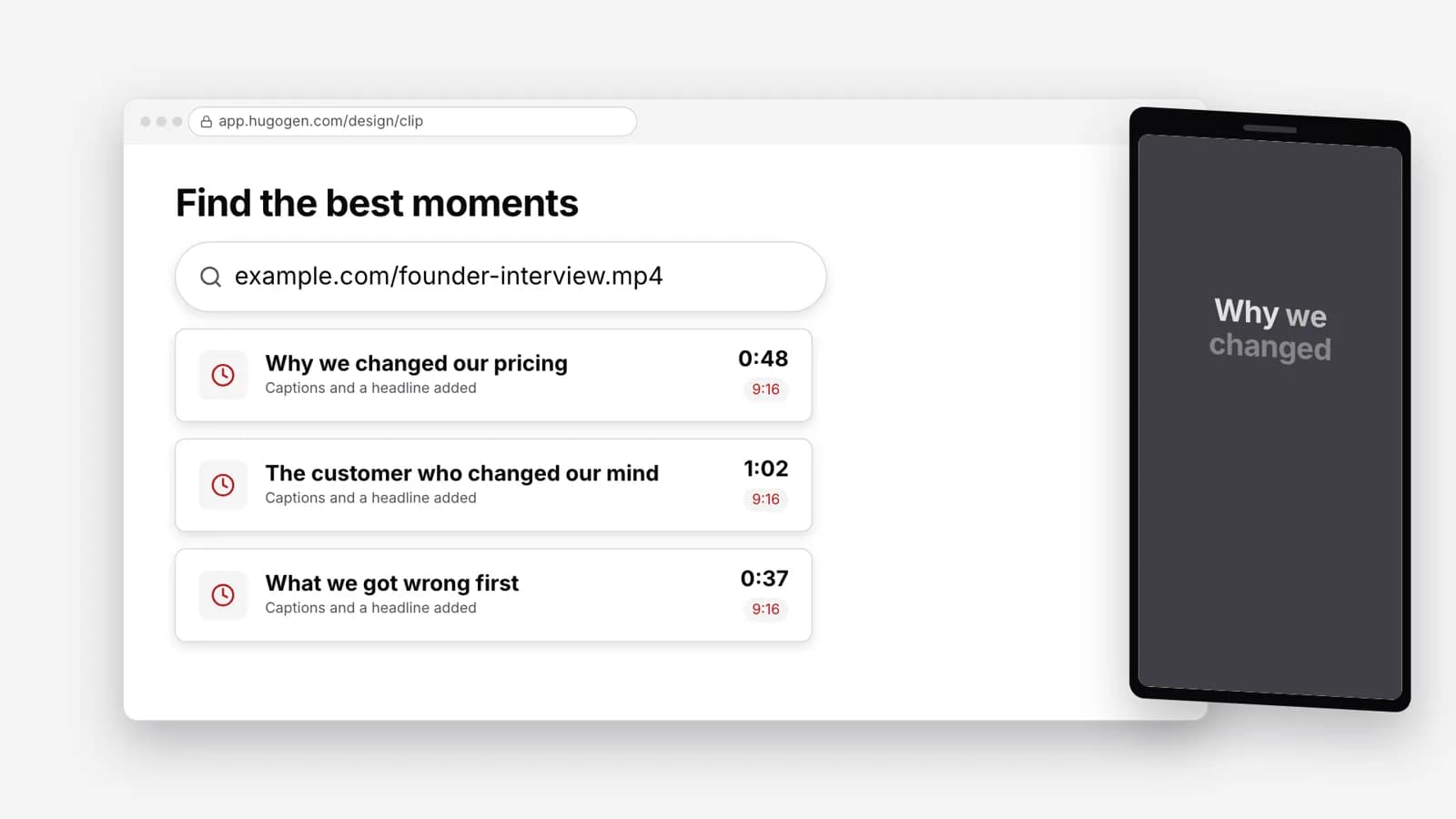
A product scene in motion: a browser window with a search field and three result cards, and a phone sliding in beside it showing the same headline

Every scene lands as a clip on the timeline

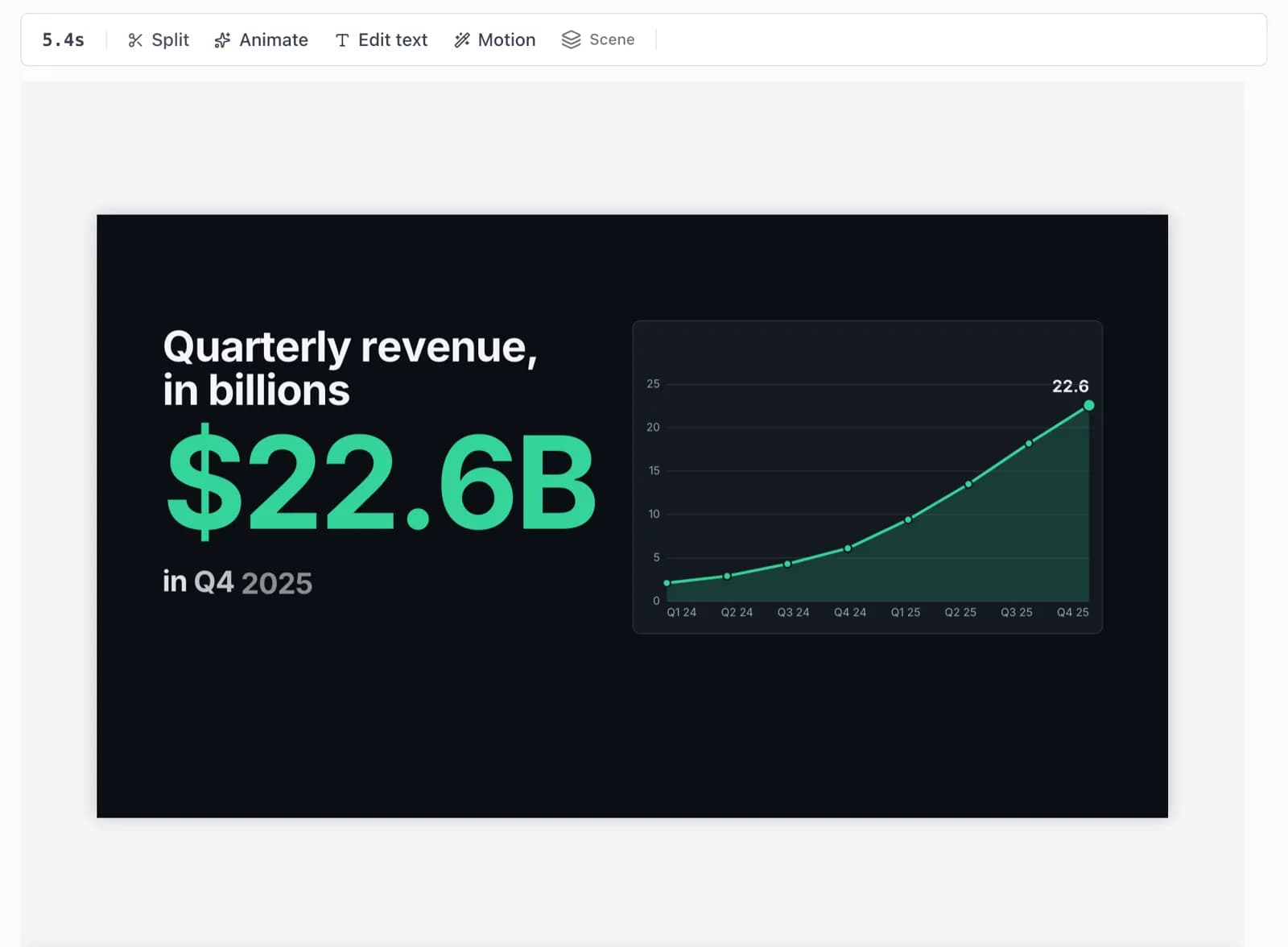
A finished scene is a clip rather than a rendered file, with its own toolbar for splitting, animating and editing the words, and keyframe rows beneath it. Changing a headline or holding a title two seconds longer is an edit on the timeline rather than another run of the agent.

The Hugogen video editor with a motion graphics scene selected, its clip toolbar above the canvas and the timeline with keyframe rows below

The finished video exports as one MP4

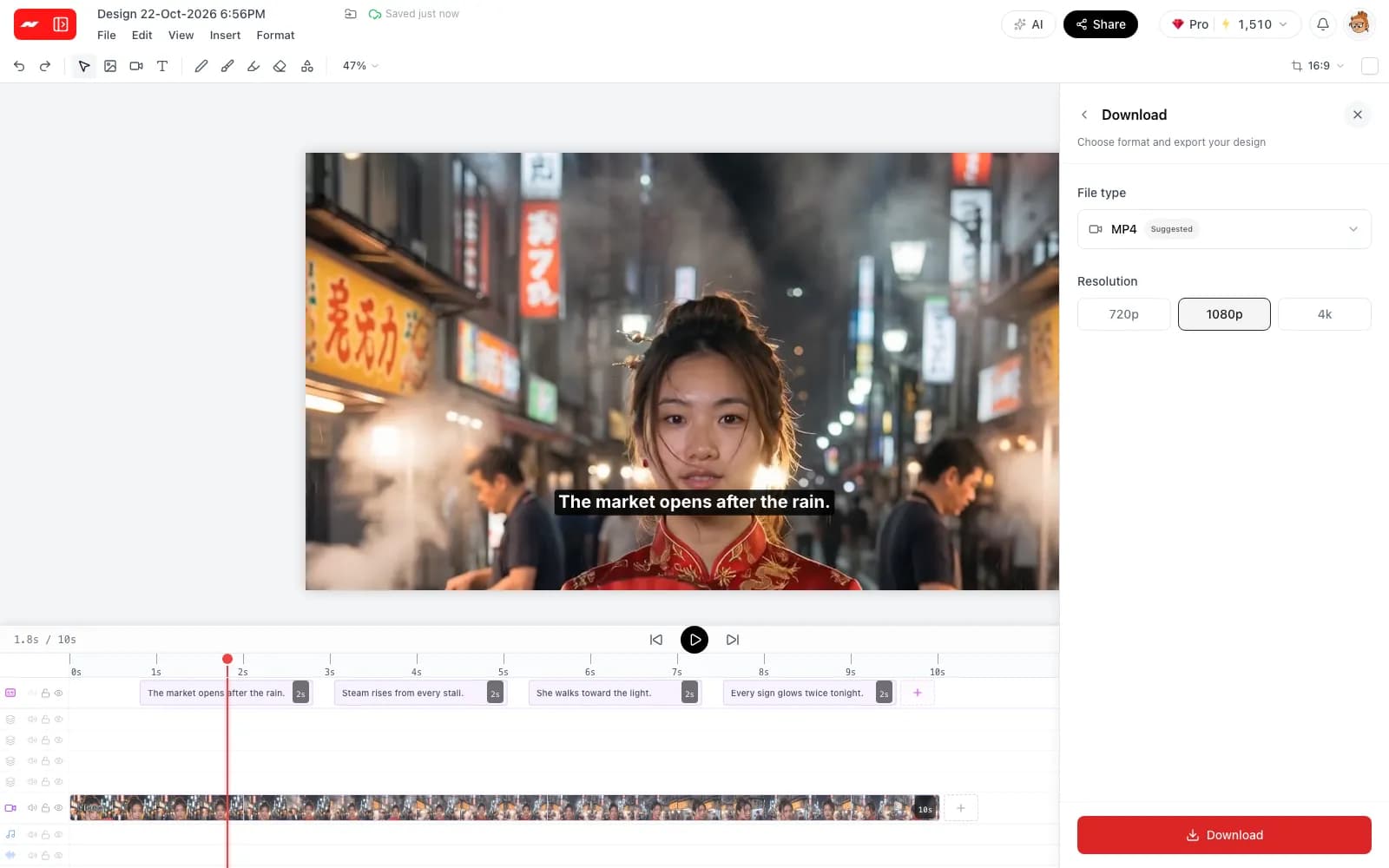
The video renders on Hugogen's servers and arrives as a single MP4 file, at 720p on the free plan and 1080p on a paid plan. Nothing is drawn over the picture on any plan, and every scene stays in the project afterwards for a later change.

The download panel in the video editor with MP4 chosen and the resolution choices listed

How to make a motion graphics video

  1. Step 1

    Describe the video

    Open the video editor and write the brief in the panel on the right, with the numbers or the file to work from.

  2. Step 2

    Approve the storyboard

    A storyboard comes back scene by scene. Change a line or drop a scene, and only then are the scenes built.

  3. Step 3

    Edit, then export

    Every scene is a clip on the timeline. Adjust anything by hand, then export one MP4 with no watermark.

Videos one brief finishes

Each video below is a brief, a storyboard and a handful of scenes, with no footage needed at any point along the way.

A revenue story
A chart drawn from the real figures
A product launch
The interface walked through scene by scene
An explainer for one feature
One idea per scene, in order
A results recap
Counters landing on the numbers reported
A conference opener
A title, a logo sting and a closing card

More free tools from Hugogen

Questions and answers

Videos made of animated text, shapes, charts and interfaces rather than of filmed footage. A title building word by word, a chart drawing itself, a counter landing on a figure and a logo resolving are all motion graphics, and each one is a scene here.

Everything here runs in a browser, with no software to install and no keyframe work by hand unless somebody wants it. The agent writes the scenes, and the timeline underneath is open for anyone who prefers to move things themselves.

Both, depending on the plan. The scene library covers eighteen kinds and builds the whole video on any plan, and a paid plan adds scenes the agent designs for the brief in front of it. A refused design never breaks the run, because the library finishes the video instead.

A scene arrives as a clip carrying its own text, colours, timing and animation, and every one of those is editable on the timeline or by describing the change in the panel. The project keeps the scenes themselves, and a change weeks later needs no rebuild.

The graph scene takes the figures from the brief and draws them without altering a value, as a line, an area, bars against a labelled scale or a pie. One figure then counts up as the takeaway. Pasting a short table of quarters or months is enough to start.

A brief on its own is enough, because the scenes are drawn rather than filmed. Footage is welcome when it exists, and the eight overlay scenes sit above it as a lower third, a keyword, a quote or a chapter card.

A free account builds motion graphics videos from the scene library and exports them with no watermark. Scenes the agent designs for a brief come with a paid plan, and the editor says which it is using before the video is built.

As long as the brief asks for. A length named in the brief is held by fitting the scenes to it, and a brief with no length runs as long as the story needs, with each scene between about three and seven seconds.

One MP4, rendered on Hugogen's servers, at 720p on the free plan or 1080p on a paid plan. The picture carries no watermark on any plan, and a browser render stands in only when a server render fails.

Turn a brief into a video with charts

Open the editor, describe the video, approve the storyboard and export one MP4.

Start a motion brief