Clone your voice for text to speech

Record or upload 10 to 60 seconds of your own voice, and the clone reads any script you write in 24 languages.

Voice clones come with paid plans, and the pricing page lists how many voices each plan keeps.

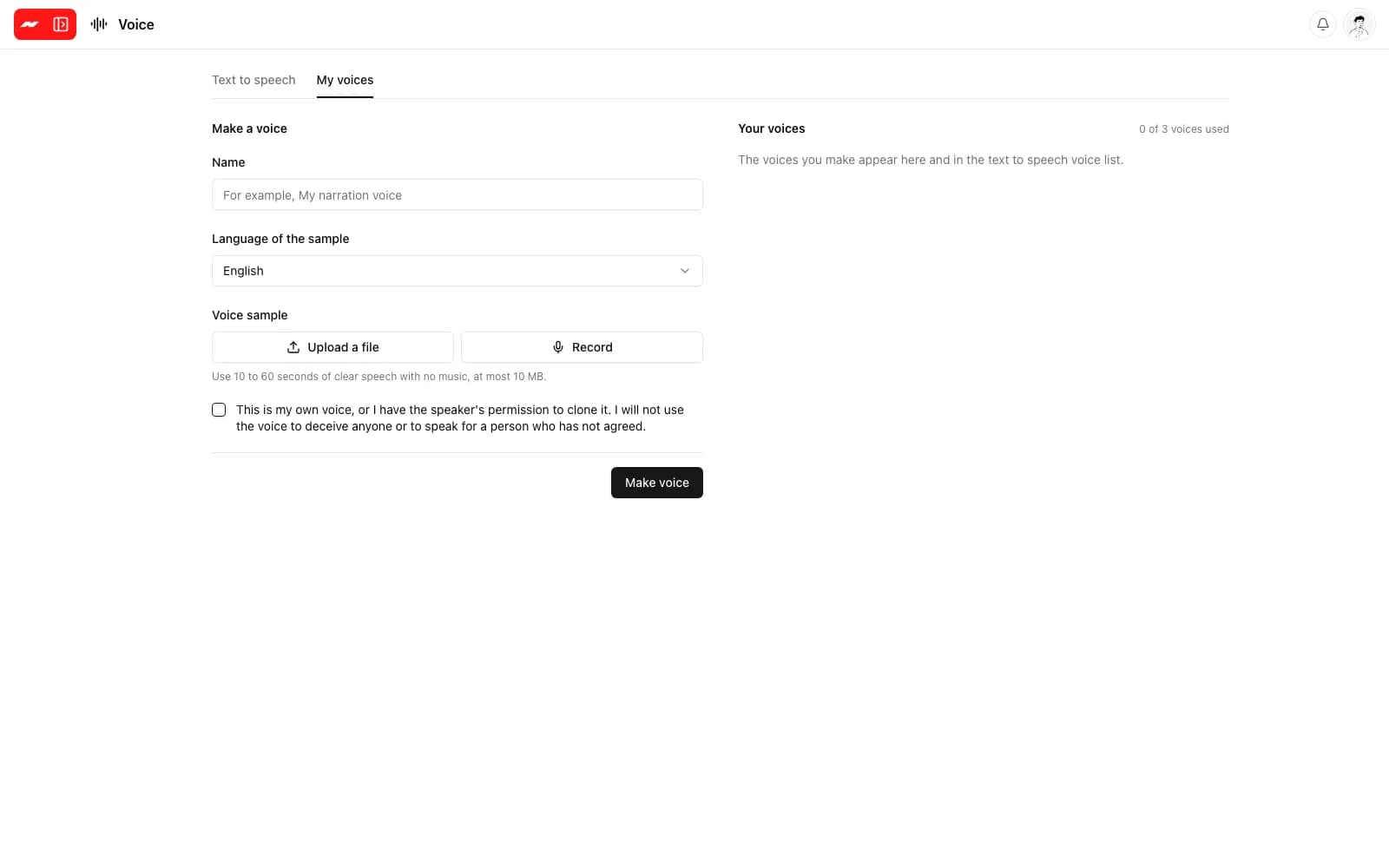
The My voices tab with the Make a voice form: a name, the sample language, Upload a file and Record buttons and the consent box

A voice clone made from your own recording

Record in the browser or upload a file

Press Record and read a few sentences in your normal voice, or upload a WAV, MP3, M4A or WebM file. Use 10 to 60 seconds of clear speech with no music, at most 10 MB.
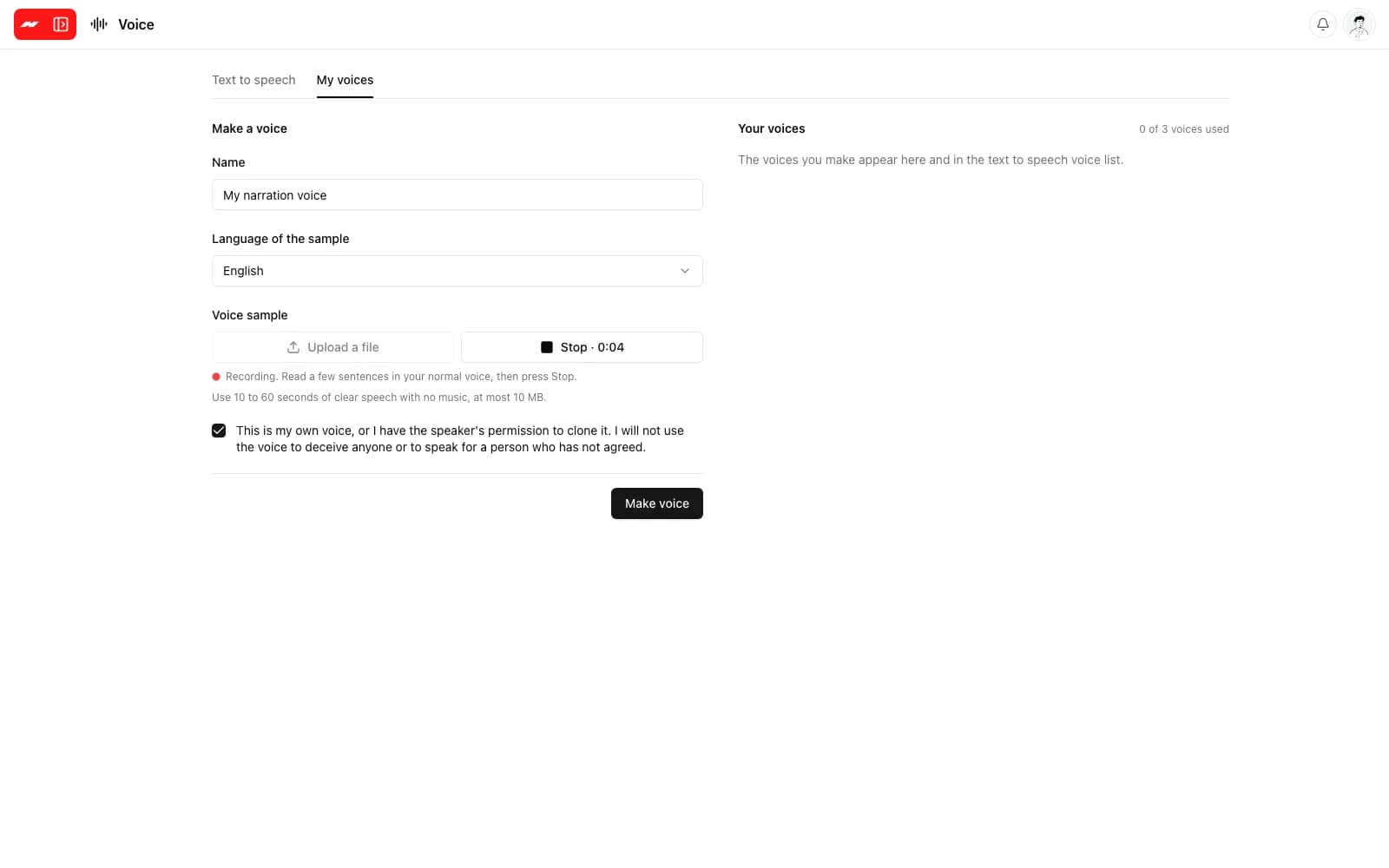
The Make a voice form while recording, the Stop button at 0:04, with a name typed and the consent box ticked

Consent before every clone

Make voice stays off until you tick one sentence. The sentence says the voice is your own, or the speaker agreed. You also promise not to deceive anyone with the voice.

The Make a voice form with an uploaded sample named bakery-welcome, a player at 0:00 of 0:16 and the consent sentence below

Your clone in the voice picker

A ready clone appears under My voices in the text to speech voice picker, next to the Default voice. Pick the clone, write a script and generate the voice in any of the 24 languages.

How text to speech works
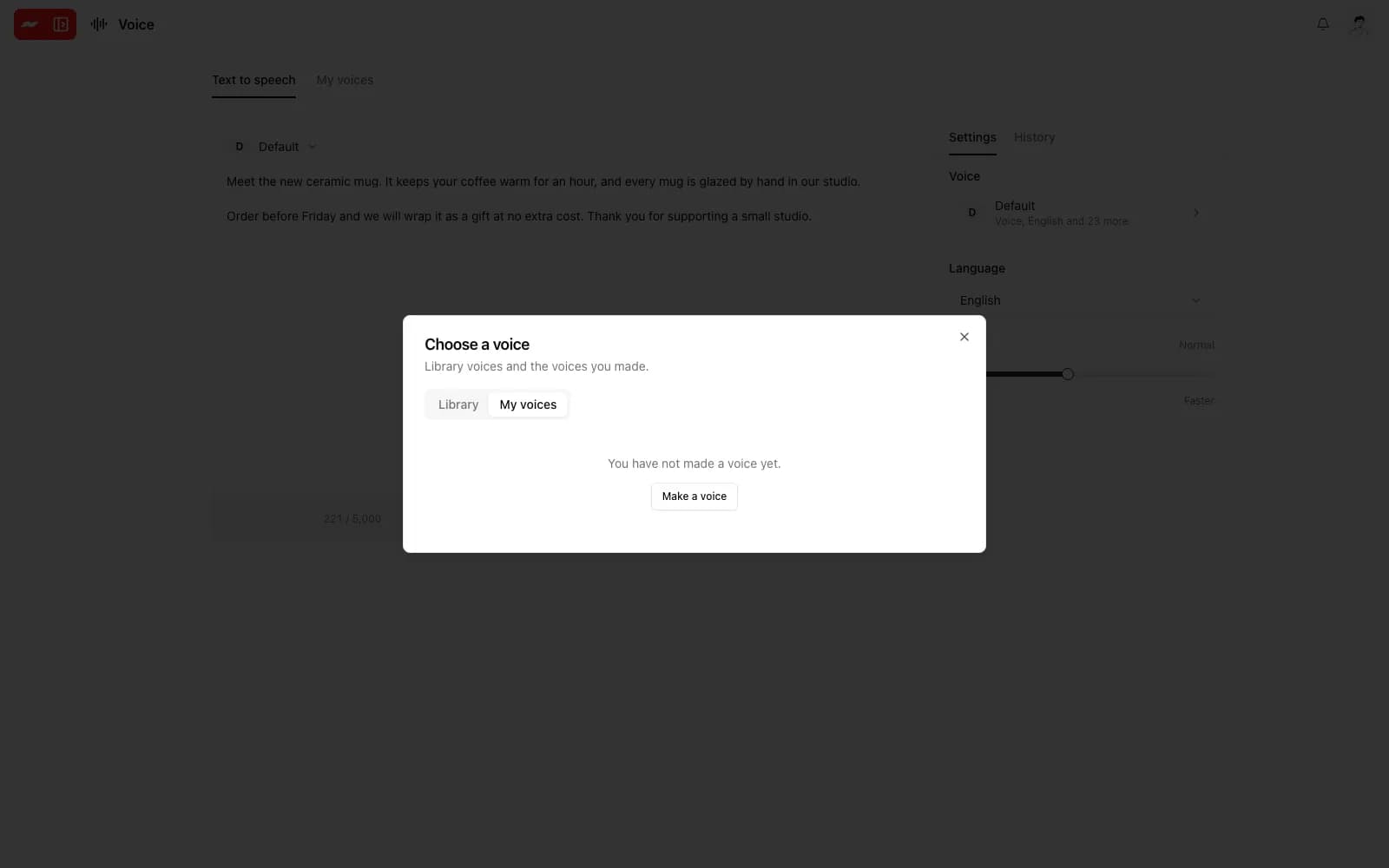
The Choose a voice dialog open on the My voices tab, with a Make a voice button

How to clone your voice

  1. Step 1

    Name the voice

    Open the My voices tab of the Voice page. Give the voice a name and choose the language you speak in the sample.

  2. Step 2

    Add a sample and agree

    Record 10 to 60 seconds in the browser or upload a file. Play the sample to check the sound and tick the consent box.

  3. Step 3

    Make the voice and use the clone

    Press Make voice and wait for the clone to be ready. Pick the clone in the text to speech voice picker and generate a script.

People who clone a voice

Each use below needs your own voice reading words you did not record.

A creator
New narration without a new recording
A course teacher
Fixes to a lesson in the same voice
A podcaster
An intro or a correction read for you
A small business
One voice for every product video
A speaker of two languages
The same voice in a second language

More free tools from Hugogen

Questions and answers

Voice clones come with paid plans. The pricing page lists how many voices each plan keeps at once. Delete a voice to make room for a new one.

Use 10 to 60 seconds of clear speech with no music, at most 10 MB. Read a few sentences in your normal voice, in a quiet room.

WAV, MP3, M4A and WebM audio files are accepted. You can also press Record and speak into the browser's microphone, and the recording is used as the sample.

A clone reads scripts in the same 24 languages as text to speech. Choose the language of your sample when you make the voice, and choose the script's language in text to speech.

Only with the speaker's permission. Before a clone is made, you confirm the voice is your own or the speaker agreed. You also promise not to use the voice to deceive anyone.

A ready clone is listed on the My voices tab and under My voices in the text to speech voice picker. Every member of your organization can pick the clone.

Yes, the person who made a clone can delete the clone from the My voices tab. A deleted clone leaves the voice picker at once.

Make a voice that sounds like you

Record or upload a short sample, confirm the voice is yours, and use the clone in text to speech.

Clone your voice