Free add text to video

Type a title over any clip, give the title one of 16 text templates and choose the moment the words arrive and leave.

Typing, styling and animating text costs nothing on any plan.

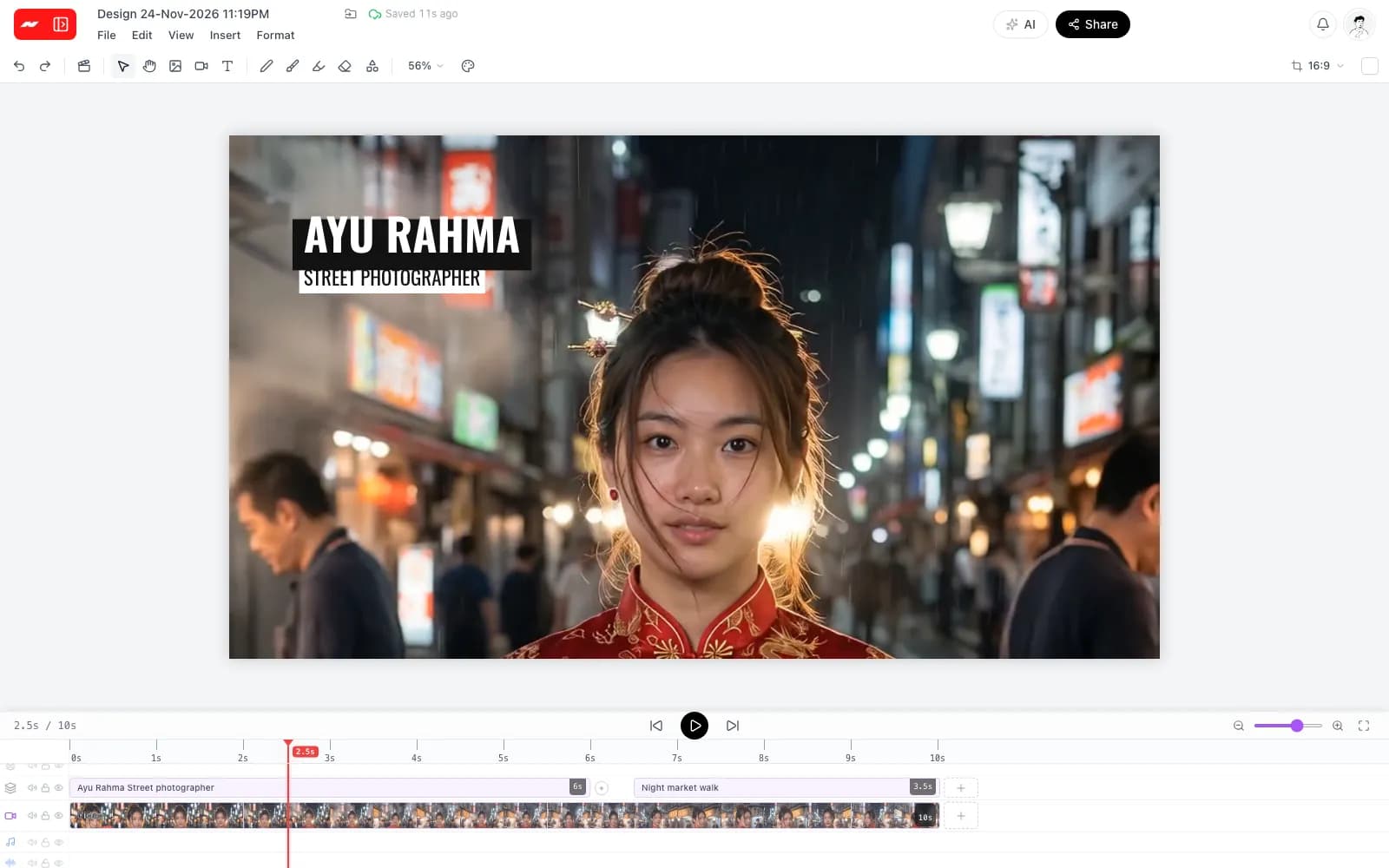
A name tag title reading Ayu Rahma and Street photographer over a night market clip, with both text clips on the timeline below

Words over any part of a clip

Every line of text is a clip on the timeline

Every piece of text is a clip on the timeline, with a start and a length. The words show only while that clip runs. Drag the clip to move the moment, or drag an edge to keep the words on screen longer.
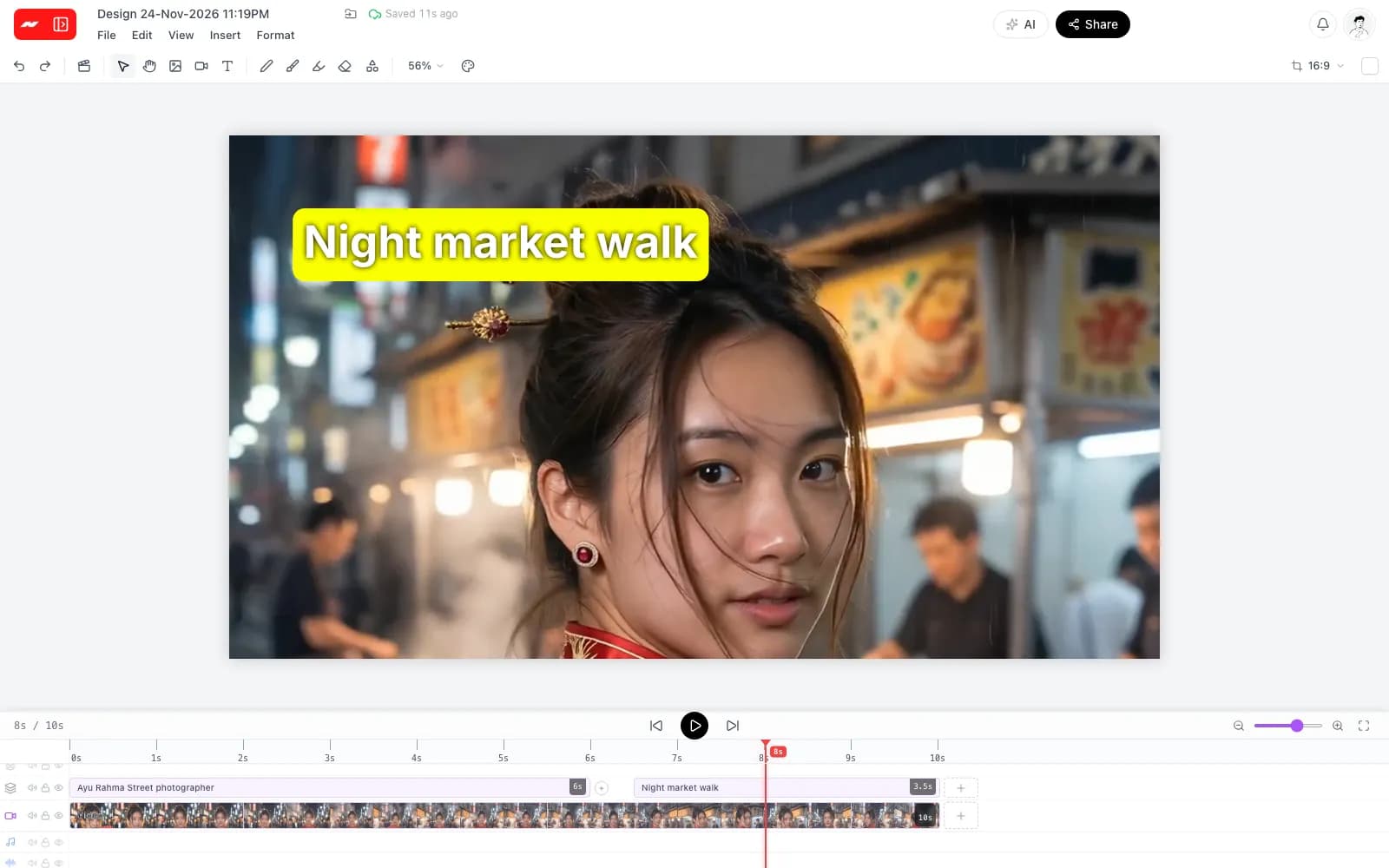
Two text clips on the timeline at different moments, the second title showing over the footage at eight seconds

Sixteen text templates for titles

A text template draws shapes and motion around plain words, such as a sliding bar or a name block with a role line. Pick one from the Style button or from Insert and Text template. The words stay plain text you can retype.
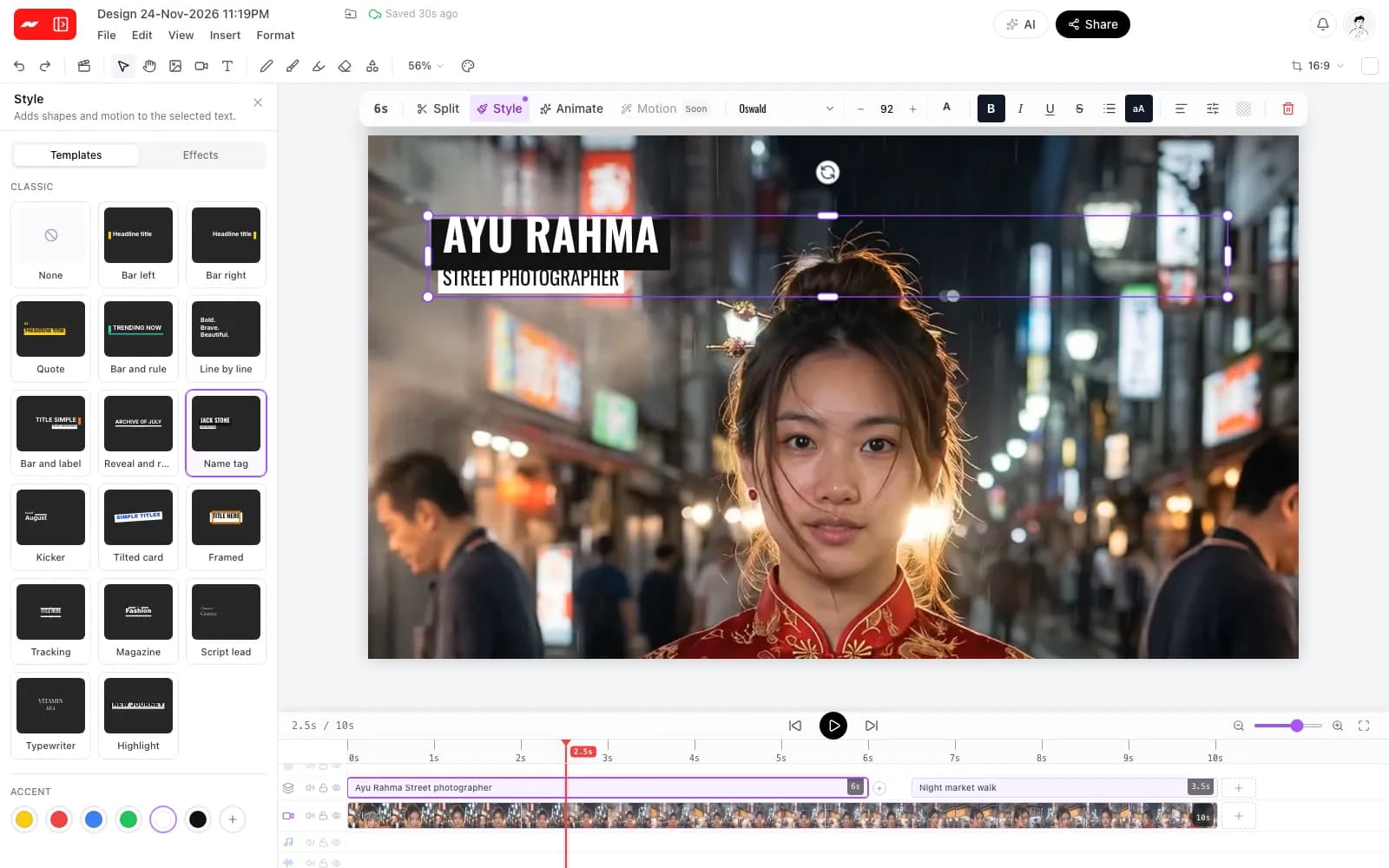
The Style panel listing sixteen text templates, Name tag chosen, beside the selected title on the video

Sixteen text effects and 65 fonts

The Effects tab adds a look to the letters, such as a shadow, an outline, a neon glow or a band of colour behind the words. The Background band adds roundness, spread and colour settings. The font menu lists 65 families, from heavy display faces to script.
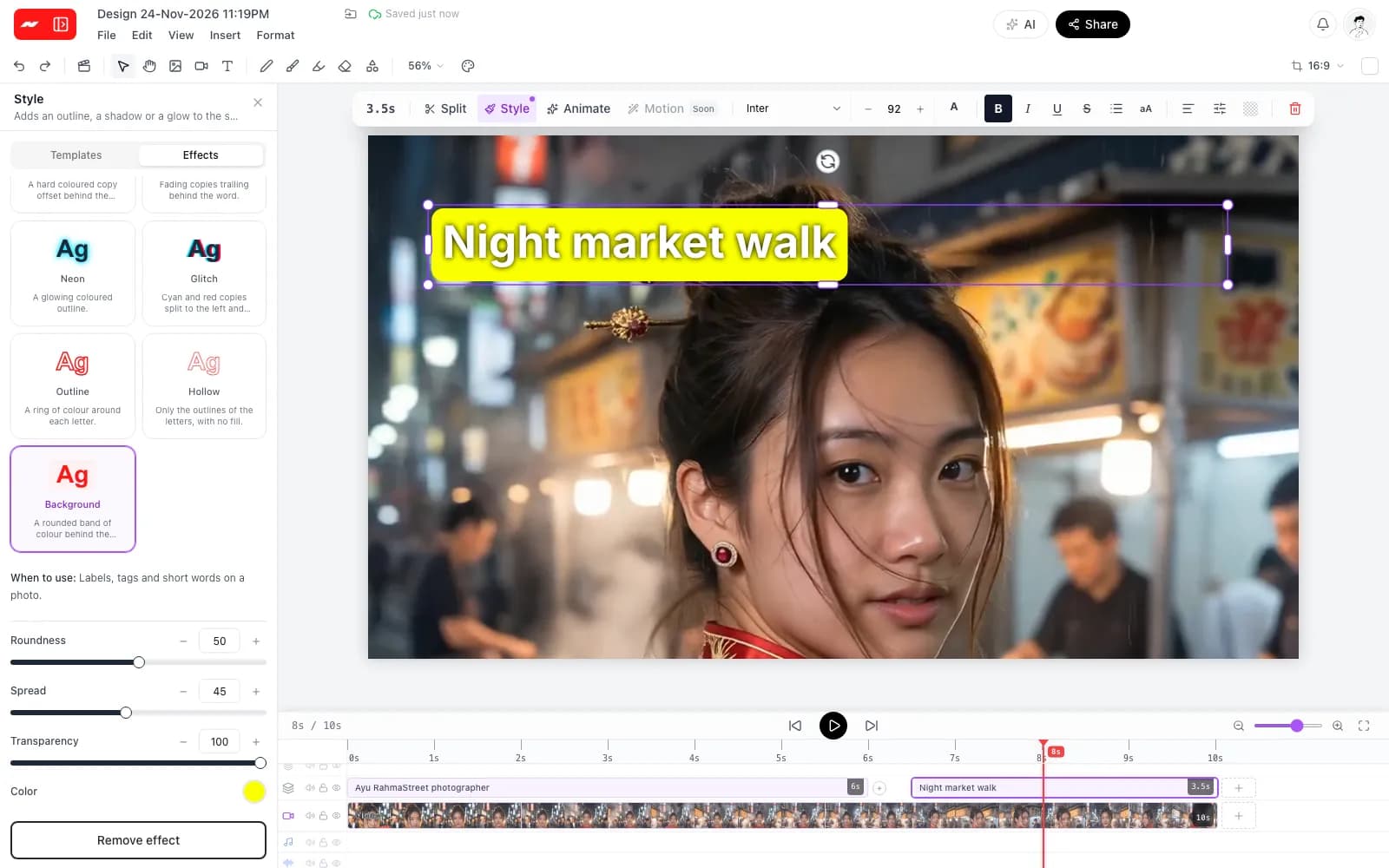
The Effects tab with Background chosen above the roundness, spread and colour controls, and the title on a yellow band over the video

Make words arrive, leave or loop

The Animate panel has two tabs. In and out holds 31 entrances and exits, and ten of the 31 move letter by letter. Loop holds 12 effects that repeat while the text is on screen, such as a pulse or a float.
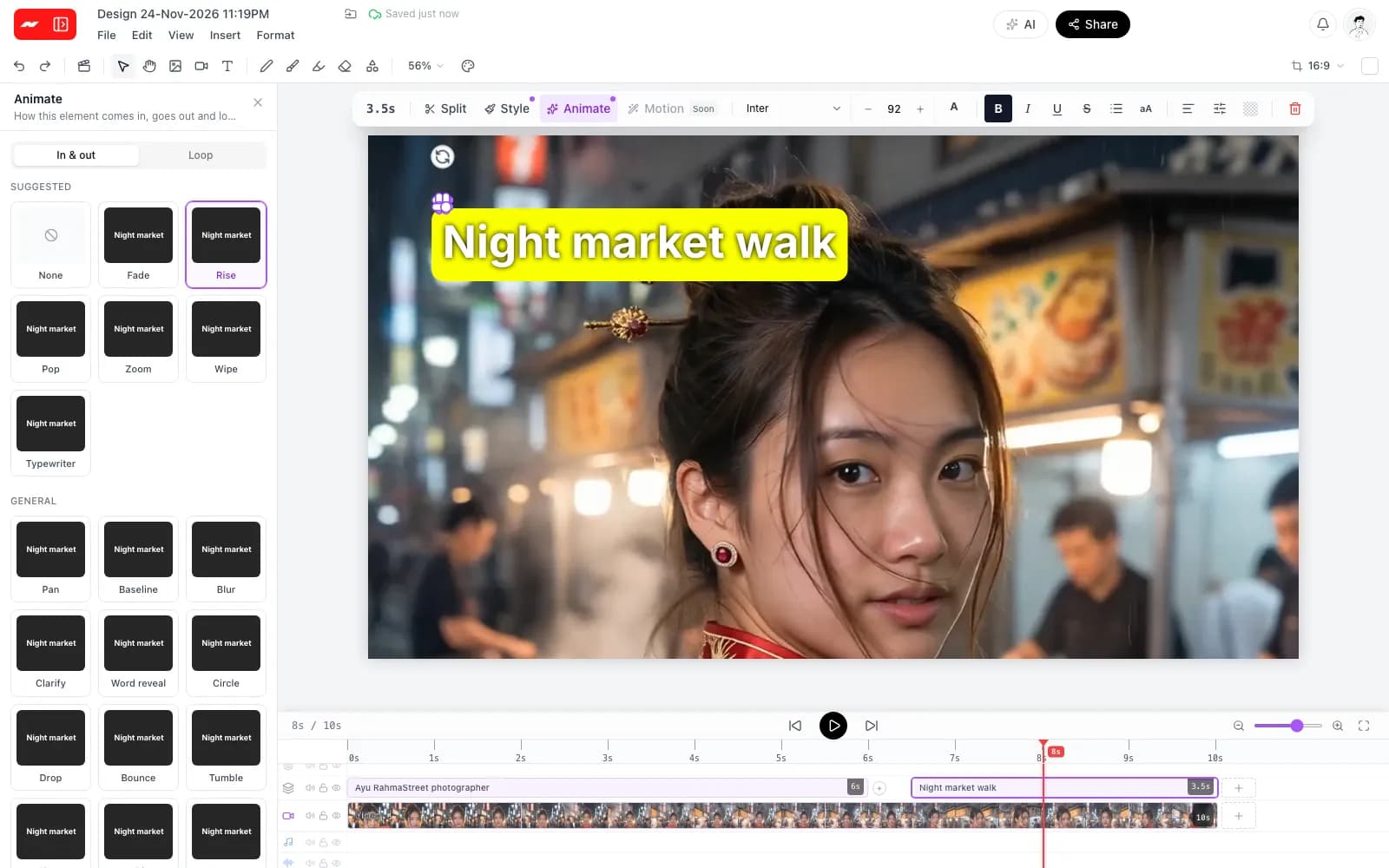
The Animate panel open on the In and out tab with Rise chosen, every animation tile playing on the words of the title

Spoken words are a separate job

Text on this page means words you type, such as a title or a label. Captions come from the speech in a clip and are timed word by word. Auto-caption writes the captions in one of six caption styles.

Captions from speech? See the AI caption generator
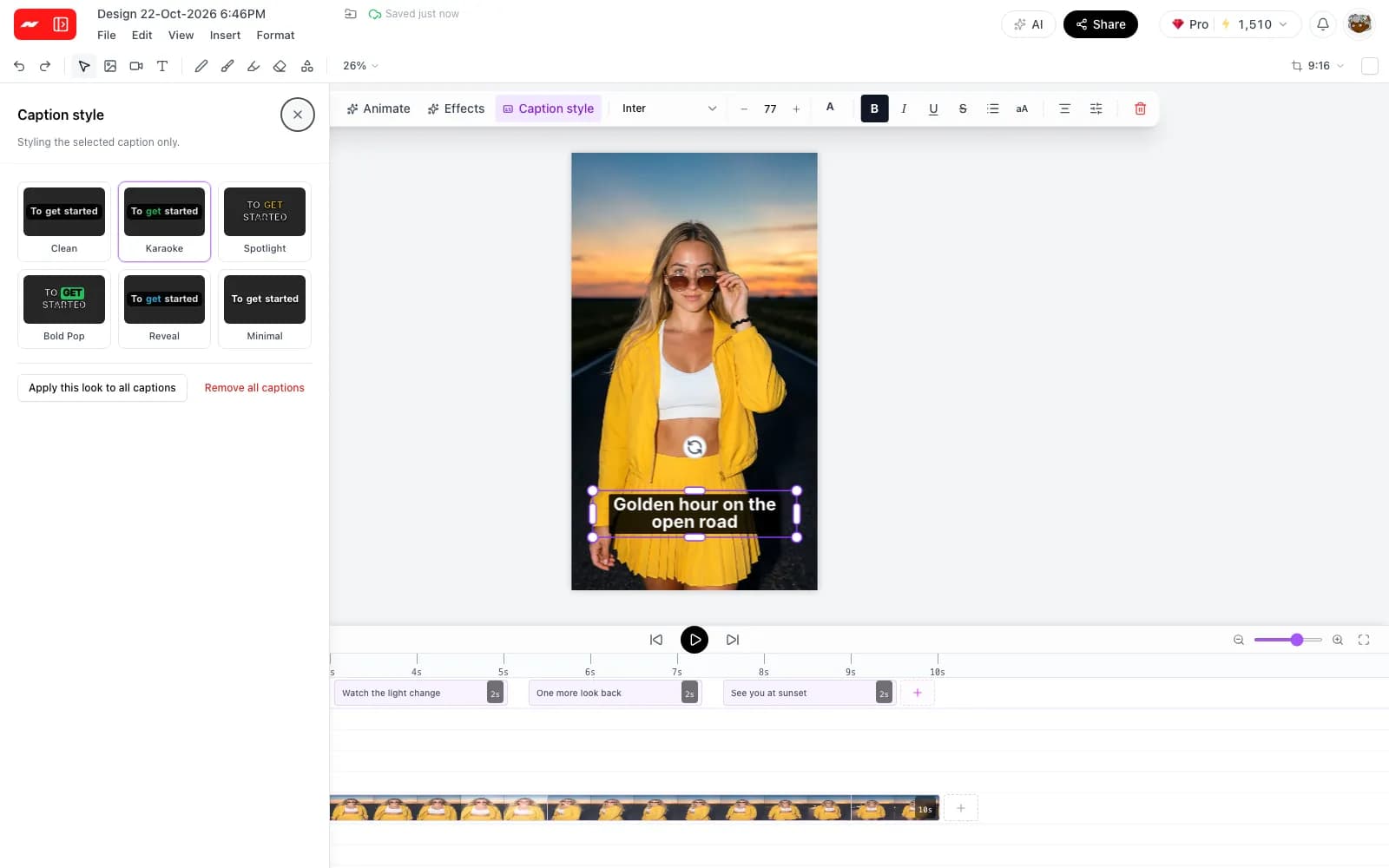
The caption style sheet showing Clean, Karaoke, Spotlight, Bold Pop, Reveal and Minimal

How to add text to a video

  1. Step 1

    Add your video

    Open the video editor and upload a clip, or pick one already in your library.

  2. Step 2

    Type and style the text

    Place the playhead and pick a text template or the text tool. Type your words and choose a font and an effect.

  3. Step 3

    Time the text and export

    Drag the text clip to the right moment and add an animation. Download the finished video as an MP4.

Text a video usually needs

Each job below is a few words over a clip, typed by you and timed to one moment of the video.

An opening title
The name of the video in the first seconds
A lower third
A speaker's name and role over an interview
A call to action
A closing line before the video ends
A product label
A name and a price beside a product shot
A quote
One line someone said, held on screen
A chapter card
A section title between two parts

More free tools from Hugogen

Questions and answers

Open the video editor and add your clip. Place the playhead where the words should start. Choose a text template from the Insert menu or press the text tool. Type your words, and the text appears as a clip on the timeline.

A new title from a text template runs six seconds from the playhead. Drag either edge of the text clip to make the words stay longer or leave sooner. The words show only while the text clip runs.

A text template is a title look with motion, drawn around plain words. Bar left slides the words out from a bar, and Name tag sets a name over a smaller role line. The words stay editable after you pick a text template.

The font menu lists 65 families in alphabetical order. The list includes heavy display faces, script faces and faces for Thai, Lao, Khmer and Myanmar text. A few text templates set a font when you apply one, and you can change the font afterwards.

Yes, each text clip can have an entrance, an exit and a loop. Ten of the entrances move the letters one after another. A text template brings an entrance and an exit, and the Loop tab still works with a text template on.

Typed text is words you write yourself, such as a title or a label. Captions are made from the speech in a clip and follow each spoken word. Use Auto-caption for spoken words and the text tools for everything else.

Yes, describe the title in the AI panel beside the timeline. The agent can add a title, change the words of a title and put a text template on the title. The result is an ordinary text clip you can still edit by hand.

Text is drawn into the picture when the video renders. The free plan exports the MP4 at 720p, and some paid plans add 1080p. No watermark is added on any plan.

Put your words on a video

Add a clip, pick a text template, type your title and download the MP4.

Add text now